
The call ends and you're still holding the pen. Twenty-two minutes with a client about a rate renewal, a missing pay stub and a figure they want held until Friday, and all you have on paper is a half-written rate, a first name, and the word "payslip" underlined twice.
You tell yourself you'll remember the rest of it. You won't, and you know it.
Phone call transcription software exists for that exact gap. It listens to the call, converts speech into text, and hands you a summary of what was decided and what happens next. The catch deserves saying up front: the text is machine-made, and machines mishear. So the useful question isn't "how accurate is it" in general. It's "would a wrong word here change what my client does next."
That distinction runs through everything below.
Table of Contents
- What Phone Call Transcription Software Does
- How the Transcription Pipeline Works
- Key Capabilities to Compare
- How Accurate Transcripts Are and Where They Fail
- Privacy and Consent Rules to Get Right
- Using Transcripts and Summaries in Client Workflows
- Test a Tool on Your Own Calls Before Committing
What Phone Call Transcription Software Does
Phone call transcription software listens to a phone conversation, converts the speech into text, and produces a summary of decisions and next steps. That's the job in one sentence. The rest is detail about how well it does it.
Back to the renewal call. You're listening for the number the client wants, the document they can't find, and the date they need it by. You can't write all three down while also sounding like you're paying attention. Something gets dropped, and it's usually the detail you'd have needed most on Monday morning.
Think of the software as a stenographer sitting in on every call. It never loses focus, never asks you to slow down, and never gets tired at minute forty. It also occasionally mishears a word, which is why the written record still needs a human pass.
You get three things back from a typical call.
- A full transcript. Every turn, labeled by speaker, so you can see who said what.
- A short summary. A title, the key points, the figures mentioned, the decisions made, and the next steps.
- Often a follow-up email draft. Built from the call's context, ready for you to check and edit.
Incoming and outgoing calls get captured differently depending on how the tool is set up. Some record everything on your line, some only what you dial from an app. Confirm which calls land in your account before you rely on it.
Adoption isn't niche. In 2024, 68% of more than 600 go-to-market leaders surveyed by GTMnow reported having at least one conversation-intelligence or AI note-taking tool in their sales stack, a figure published by Stealth Agents and credited to the GTMnow survey. Those are sales leaders with a stack to plug into, not solo brokers, but the direction is plain.
If you want the mechanics of pulling a call off your phone and into text without replaying the audio, this walkthrough on transcribing client calls without replaying audio covers the practical routes. And if you're weighing a dedicated assistant against a pile of disconnected tools, it's worth reading how an AI call assistant handles notes and follow-ups in one place.
A transcript is a searchable memory of the call, not a verified legal record.
By now you should know what the tool hands you and how to tell whether your week needs one. If most of your calls end with scattered notes and a mental list you're afraid to lose, it does.
How the Transcription Pipeline Works
Think of the process as an assembly line. Each station does one job and hands its result to the next, and a mistake at station two rides along to the end of the line.
One term to lock down first. Word error rate, usually shortened to WER, is the share of words in a machine transcript that differ from a careful human transcript. Substitutions, deletions and insertions all count, so a misheard digit isn't free.
Here's the line, left to right.
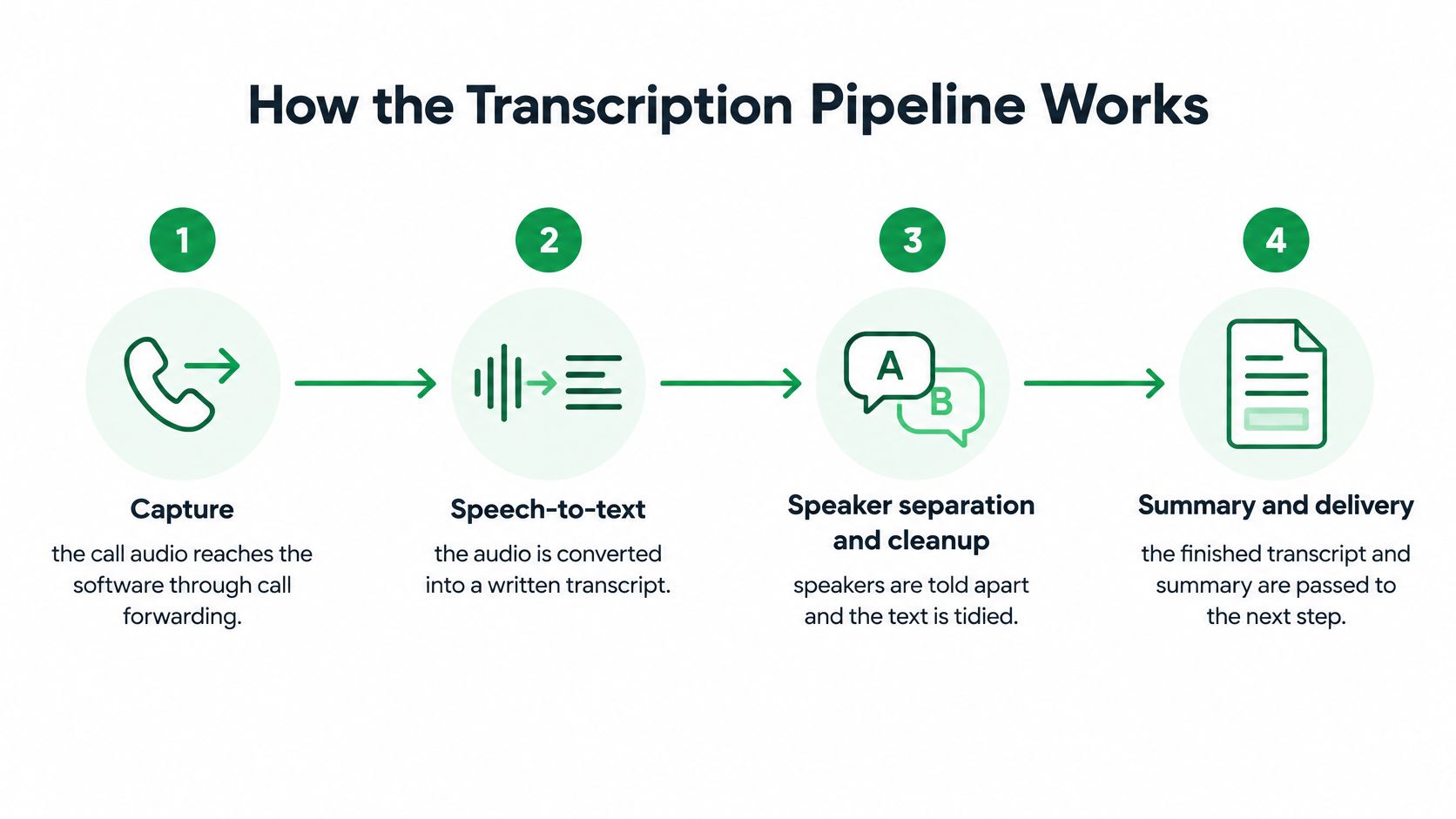
1. Capture. The audio reaches the software, either through call forwarding on your line or through an app on your phone. Failure point: a forwarding rule that drops calls from unknown numbers means those calls never exist.
2. Speech recognition. The audio becomes words. Phone audio is compressed and narrowband, so it's harder than studio audio. Failure point: one misheard digit, say "fifteen" for "fifty."
3. Speaker separation. The system marks which stretch of audio belongs to which person. Failure point: two similar voices collapse into one label, and the client's sentence ends up looking like yours.
4. Language detection. The system decides what language it's hearing, including switches mid-sentence. Failure point: a French surname inside an English sentence gets anglicized into something unrecognizable.
5. Summarization. A language model picks out the title, key points, figures, decisions and next steps. Failure point: it inherits the misheard digit from station two and repeats it in a bold bullet.
6. Delivery. The transcript and summary land in the app and in your inbox, seconds after you hang up.
7. Follow-up drafting. An optional email draft gets built from the call context. Failure point: a draft that states a commitment nobody made.
The hard numbers on phone audio are sobering. In NIST's OpenASR20 challenge, which evaluated automatic speech recognition on conversational telephone speech in low-resource languages, the best systems produced word error rates between 0.40 and 0.65 under severely constrained training data. At 0.40, roughly four words in every ten come back wrong before any correction. That range describes an extreme case, not a clear English renewal call, but it shows how much the phone line itself costs you.
If you'd rather watch the handoffs than read them, the video below walks the same sequence.
Once call forwarding is connected, VoxNote transcribes every incoming and outgoing call on your existing phone number, with nothing to press during the call. The summary and transcript arrive automatically, seconds after you hang up.
Practical rule: if a number matters, it gets checked against the recording. The summary points you to the detail. It is never the detail itself.
Key Capabilities to Compare
Treat a comparison as a checklist of criteria rather than a list of brand features. Seven criteria cover most of what decides whether a tool is safe for client calls.
| Capability | What to Check | Why It Matters |
|---|---|---|
| Automatic capture | Works on your existing number for incoming and outgoing calls | No manual step during the call |
| Speaker labels | Separates advisor turns from client turns | Keeps promises and approvals attributed correctly |
| Language detection | Detects languages, including mid-sentence switches | Supports bilingual client calls |
| Summaries | Title, key points, decisions and next steps | Lets you review a call in under a minute |
| Search and export | Search past calls and copy details into a client file | Finds old details quickly |
| CRM or email integration | Sends summaries to your CRM or drafts follow-up emails | Cuts manual re-entry |
| Security and retention | Encryption in transit and at rest, access roles, deletion schedule | Protects sensitive client data |
Why speaker labels outrank almost everything else
A transcript can be word perfect and still be operationally wrong. Say a client agrees to send pay stubs by Tuesday and the transcript attaches that sentence to you. You now hold a record saying you promised something the client offered, which is the wrong basis for your next call.
NIST's evaluation work on conversational telephone speech treats diarization, meaning the assigning of time regions to different speakers, as a required component whenever more than one person is present, and its evaluation plans describe systems built on speech-activity detection, diarization, acoustic features and speaker embeddings (NIST publication). Ask whether the labels stay consistent through the summary, not just the transcript.
Security covers the whole path
Encryption has to protect the route from the handset to the server, not only the stored text, and access should require authentication before anyone reaches a client record. A tool that encrypts the transcript file but ships the audio unencrypted has solved the easy half.
An example from what we build: our transcripts and summaries are encrypted with AES-256, and the app detects the language of a call automatically from 32 options, including switches mid-sentence. Summaries reach both your inbox and the app, in a format adapted to the type of call.
Rank these by your own risk. A mortgage broker weighs figures and deadlines above all. A field rep living in a car weighs CRM sync and mobility first. Neither ranking is universal.
How Accurate Transcripts Are and Where They Fail
Ask a vendor how accurate the transcript is and you'll get one percentage. Ask what happens when the system hears "fifteen" instead of "fifty" on a line with road noise, and that percentage stops helping.
Phone calls are the hard case for speech recognition. The audio is narrowband, people talk over each other, and numbers or names get dictated slowly or spelled out letter by letter. Research continues to identify sociophonetic diversity, the variation in how different groups pronounce the same language, as a persistent limitation even when multilingual models post strong benchmark scores, as this 2025 paper on sociophonetic variation in speech recognition sets out.
The measure that actually matters
Decision-critical accuracy asks a narrower question than WER. Take any word in the transcript and ask whether a wrong version of it would change what the client does next. A misheard "um" changes nothing. A misheard loan amount changes everything.
Measure accuracy by whether a wrong word could change a decision, not by the average error rate.
| Call Detail | Error Risk | Verification Step |
|---|---|---|
| Dollar amounts and rates | Digits are misheard or misplaced | Check against the source document or recording |
| Dates and deadlines | Relative phrases like "next Tuesday" are misread | Confirm the calendar date in writing |
| Names and spellings | Uncommon surnames and street names get mangled | Spell the name back on the call or check the client file |
| Account or policy numbers | Digit strings break easily on weak lines | Never copy from the transcript without checking |
| Commitments and requested documents | Speaker attribution can flip | Re-listen to the exact moment |
| Accents and code-switching | Mixed-language phrases lose words | Review flagged passages by hand |
A transcript can read fluently while still misrepresenting a loan amount, a policy detail, a deadline or a client's name, which is precisely the gap that matters to brokers, insurance advisors and financial planners. Automatic language detection helps on bilingual calls, but it isn't proof that every proper noun survived.
The order to run those checks in belongs to the workflow routine below. The table above tells you what to look for.
Privacy and Consent Rules to Get Right
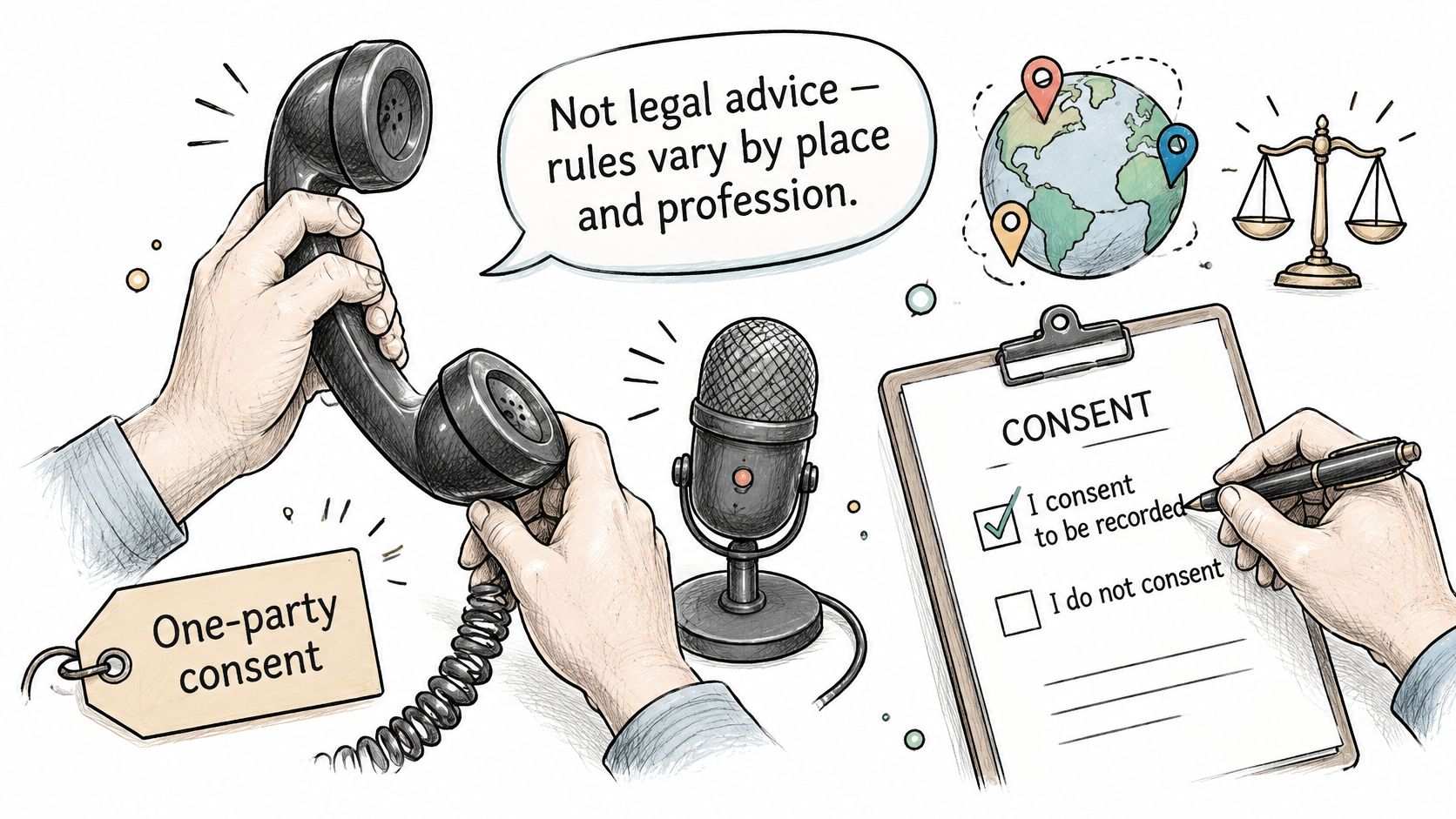
This is general information, not legal advice, and the rules vary by place and by profession. The customer is responsible for following the rules that apply to them and their work.
The split that catches people out
In the United States, federal law generally permits one-party consent, while several states require consent from every participant, so a call crossing a state line can raise the stricter rule. In Canada, criminal law may permit recording with one participant's consent, but an organization collecting client information still has to inform the caller, explain the purpose and obtain consent. Québec adds a governance layer, since systems processing personal information may require a privacy impact assessment. The call recording compliance overview from SIPSTACK lays out that baseline split.
What to say at the start of a call
Keep the notice short enough that you'll say it every time. Something like: "I'm transcribing this call so I can keep accurate notes for you. You can ask me to stop at any point, and I'll note that in your file." Say it before the substantive conversation starts, not after the first figure comes up. One disclosure can cover the current call and future calls with the same business client, which saves repeating the script on every check-in.
When a client says no
Some people will decline. Plan for it rather than improvising. You can keep a call out of VoxNote by excluding the contact ahead of time or by stopping transcription mid-call. If a spouse, lender or insurer joins the line, decide in advance whether that counts as a new participant who needs their own notice.
Data handling questions worth asking any vendor:
- Storage lifecycle. Phone call recordings are securely stored and then completely deleted and destroyed after 30 days. Ask any provider what their period is before you assume one.
- Access control. Role-based permissions, so a colleague can't browse your client calls.
- Audit logs. A record of who opened which transcript and when.
- Export rules. What leaves the system when a summary goes into a CRM, and who approved it.
If you're still deciding whether to record at all, this comparison of call recorder software options covers what changes when recording and transcription are separate tools rather than one pipeline.
Legal sufficiency and client trust are different standards. A one-party rule may let you record without telling anyone. Telling them anyway is what keeps the relationship intact when a transcript shows up in a dispute.
Using Transcripts and Summaries in Client Workflows
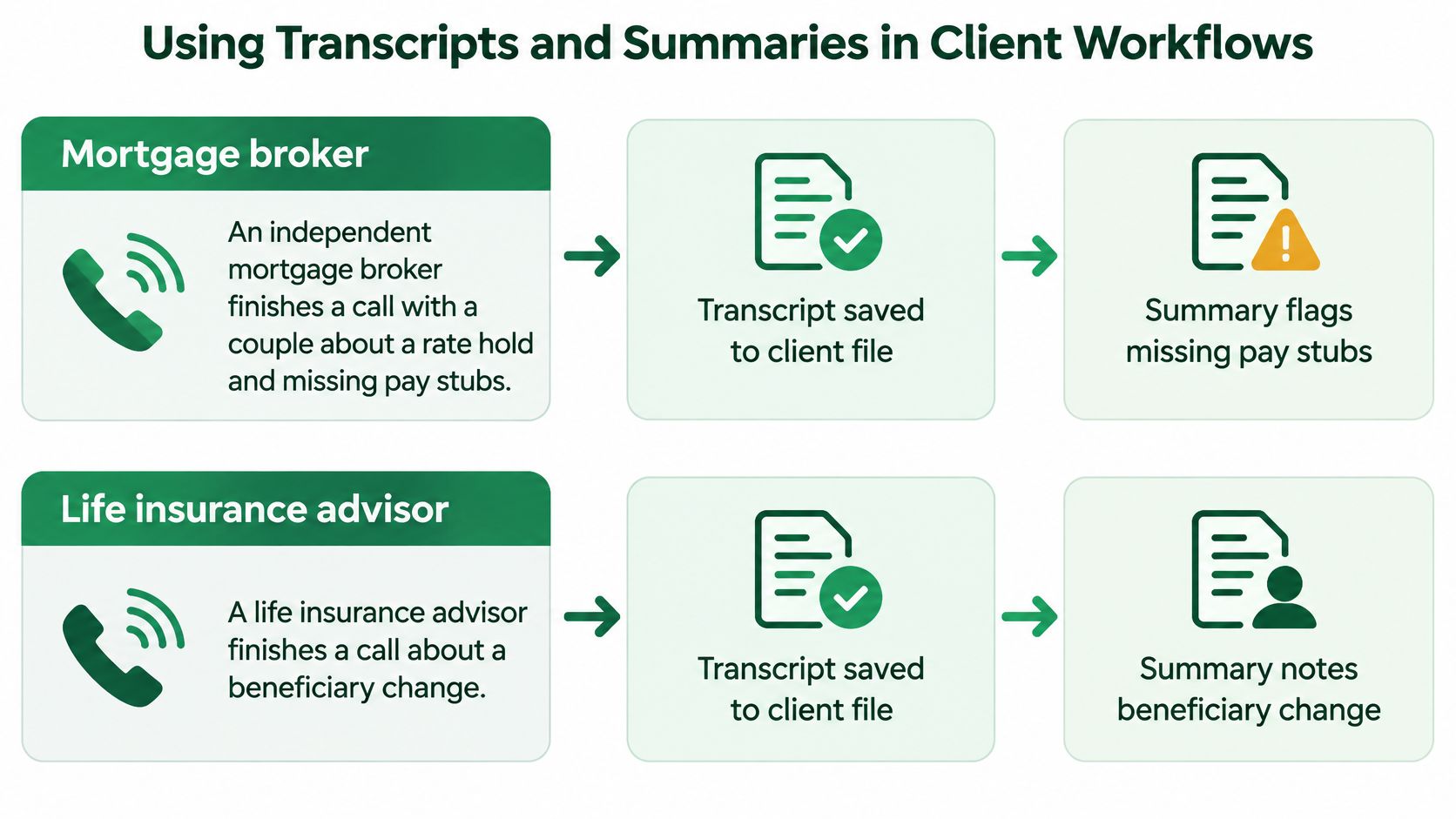
Picture two Tuesday afternoons. An independent mortgage broker hangs up after twenty minutes with a couple about a rate hold and two pay stubs that never arrived. Down the hall, a life insurance advisor finishes a call about switching a beneficiary after a marriage.
Both have the same problem: a conversation full of details, and a follow-up message due before the day ends. The infographic below shows how the two workflows run in parallel.
The routine, in order
1. Review the summary within the hour. Do it while you still remember the tone of the call. The common slip is leaving it until Friday, when the summary is all you have and you can't tell a gap from a detail.
2. Check every flagged figure, date and name against the transcript or the recording, using the risk table above. The slip here is trusting a summary because it reads cleanly.
3. Confirm each commitment and each requested document, and write down who owns it. Clients remember promising things they didn't promise. The transcript preserves what was said.
4. Edit the follow-up draft, adding only verified details. Send it as it arrived and you may be telling a client a rate you never quoted.
5. Copy approved details into the client file, and keep the transcript behind them. A summary filed without its source transcript can't be checked later.
6. Set a reminder for any dated commitment. Deadlines mentioned aloud on a call don't automatically reach your calendar.
The mechanics are easier at a desk than mid-call. On the web, your full call history sits on your computer, including summaries, full transcripts and follow-up emails. Every summary and transcript is available in the web app, where past calls can be found and copied into a client file, and a summary with a title appears in the Notes tab seconds after you hang up, so the file update happens after the call rather than during it.
There's a wider discipline to this. Post-call analysis is how teams turn a pile of transcripts into something they can review, and the Dograh blog on call observability covers how that's done at scale.
If your client records live in a CRM, this guide to connecting summaries to a CRM shows what to automate and what to leave as a human check.
The output of a call is a starting point you verify and then own. Nobody downstream knows which lines you checked, so check them before they travel.
Test a Tool on Your Own Calls Before Committing
Run a two-week trial on real calls. Demos use clean studio audio and a scripted conversation; your clients call from parking lots.
Record about ten calls across the types you handle: incoming, outgoing, and one with a second person on the line. For each one, test the decision-critical fields against the recording, then compare the summary with the transcript to see whether it invented a commitment or dropped one.
Before you rely on it, confirm three settings: the deletion period, the way to exclude a contact, and whether the verbal disclosure your jurisdiction requires can be played in the setup you've chosen.
The setup itself is plain. VoxNote works on your own phone number, capturing both incoming and outgoing calls, so clients keep calling the number they already know. Once call forwarding is set up, incoming calls are captured automatically; for outgoing calls you dial from the app and your client still sees your own number.
Keep to one or two people doing the scoring so the results stay comparable, and read the failed calls closely before you blame yourself for bad audio. The Team plan includes direct support from the founders if you're rolling this out across a brokerage and need the forwarding rules straightened out.
Keep the tool only if decision-critical fields pass your own checks on your own calls. Drop it the first time an unverified figure reaches a client file.
VoxNote was built for exactly this kind of careful use. It transcribes every incoming and outgoing call on your existing number once call forwarding is connected, then sends you a transcript, a summary and a follow-up draft seconds after you hang up, so verification happens at your desk instead of from memory. If you handle client calls on a mobile and want a searchable record of each one, visit VoxNote and try it on a week of real calls before you decide.