
A call assistant is software that works alongside a phone call, turns the spoken conversation into a transcript and summary, and drafts the follow-up actions.
You've just finished talking with a client. Another call is coming in, but you still need to record a deadline, find the document they requested, and remember whether they agreed to proceed or only asked for more information.
That's the gap a call assistant can help fill. Think of it as a record-keeping layer around the conversation, not a replacement for your judgment. For mortgage brokers, insurance advisors, and financial planners, its usefulness depends as much on accurate records and proper consent as on convenience.
Table of Contents
A Call Assistant in Plain Terms
A call assistant turns a telephone conversation into a written record you can review and use. The documentation kind discussed here stays alongside your conversation rather than answering the client on your behalf.
Think of a meeting secretary who listens, records names and promises, and prepares notes afterward. Unlike a human secretary, the software can misinterpret context without realizing it needs clarification.
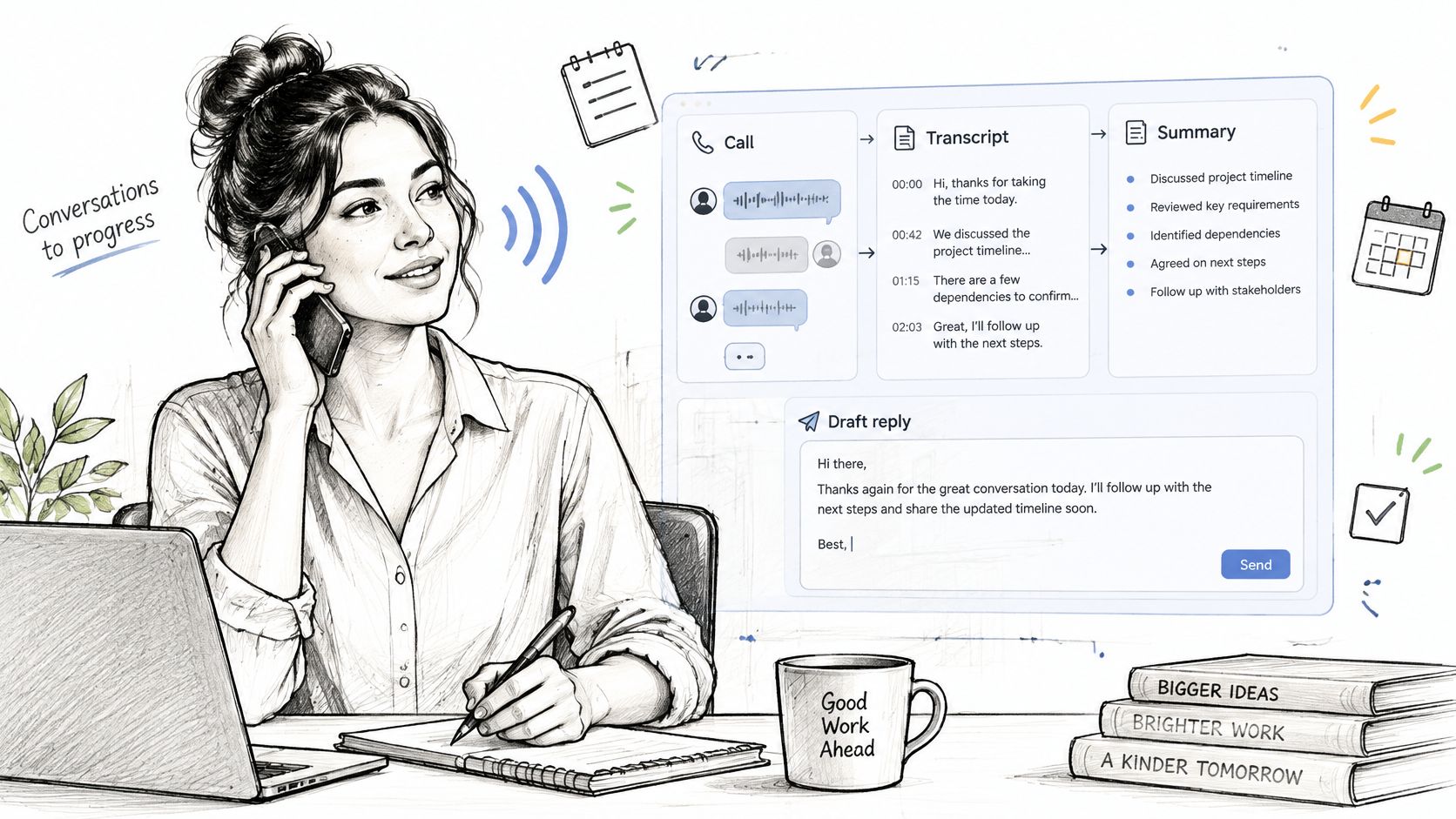
Say a mortgage broker discusses a rate hold with a client. The client agrees to send an employment letter before the deadline. The assistant's job has distinct parts:
- Listen: Convert the spoken conversation into text.
- Understand: Identify the rate discussed, the deadline, and who promised the letter.
- Act: Prepare a summary and a draft message requesting the document.
Here, understand means identifying likely meaning from language. It doesn't mean the software knows whether the rate is suitable or the application will qualify.
Documentation isn't telephone coverage
The label call assistant can also describe tools that answer calls or manage bookings. If that's your need, Heyline's guide to phone coverage for appointment-based businesses offers useful context for that different workflow.
A documentation assistant doesn't replace the call, make professional decisions, or necessarily speak to your client. Its output is material for you to check and use.
Try explaining it to a colleague in a sentence. Include both what it produces and one thing it doesn't do.
Why Phone Calls Need a Written Record
Client calls create obligations before anyone types a task into a system. A planner promises an updated projection. An insurance advisor requests a supporting document. A sales rep agrees to confirm a delivery condition. Until someone writes it down, that work exists only in memory.
Memory is a poor filing system. Say the planner notes the changed circumstances but misses the request for a revised quote. The notes look complete; the next action is gone. On a regulated call a wrong detail hurts more than a missing one, because the file now holds a figure that looks authoritative.
In Calendly's 2024 State of Meetings report, based on 1,244 workers in the United States and United Kingdom, 40% of surveyed workers said their least productive meetings lacked follow-up notes or action items. The finding concerns meetings, but the failure mode matches phone calls exactly: the conversation ends and nothing usable remains.
Mobile conversations still need business records
Client calls increasingly happen away from a desk. ITU historical statistics show global fixed-telephone subscriptions declining from 19.2 per 100 inhabitants in 2006 to 12.1 in 2019. The call may reach you in a car or between sites, with no file open and no notepad handy.
Clients keep choosing the phone anyway. In Vonage's 2023 survey of more than 7,000 participants across 17 markets, mobile phone calls were a preferred business-communication channel for 36% of consumers surveyed globally. Frequent calls, taken anywhere, recorded nowhere.
Practical question: Could someone reviewing your client file identify what was agreed and who needs to act next?
A consistent approach to logging phone calls separates a conversation's history from its unfinished work and gives both sides the same dated account when memories differ. Which recent call of yours ended without a clear written account?
How a Call Assistant Works From Call to Record
The process starts with telephone audio and ends with information you can review. Connection methods differ, so distinguish the general workflow from a particular service's setup.
This visual shows the main stages.
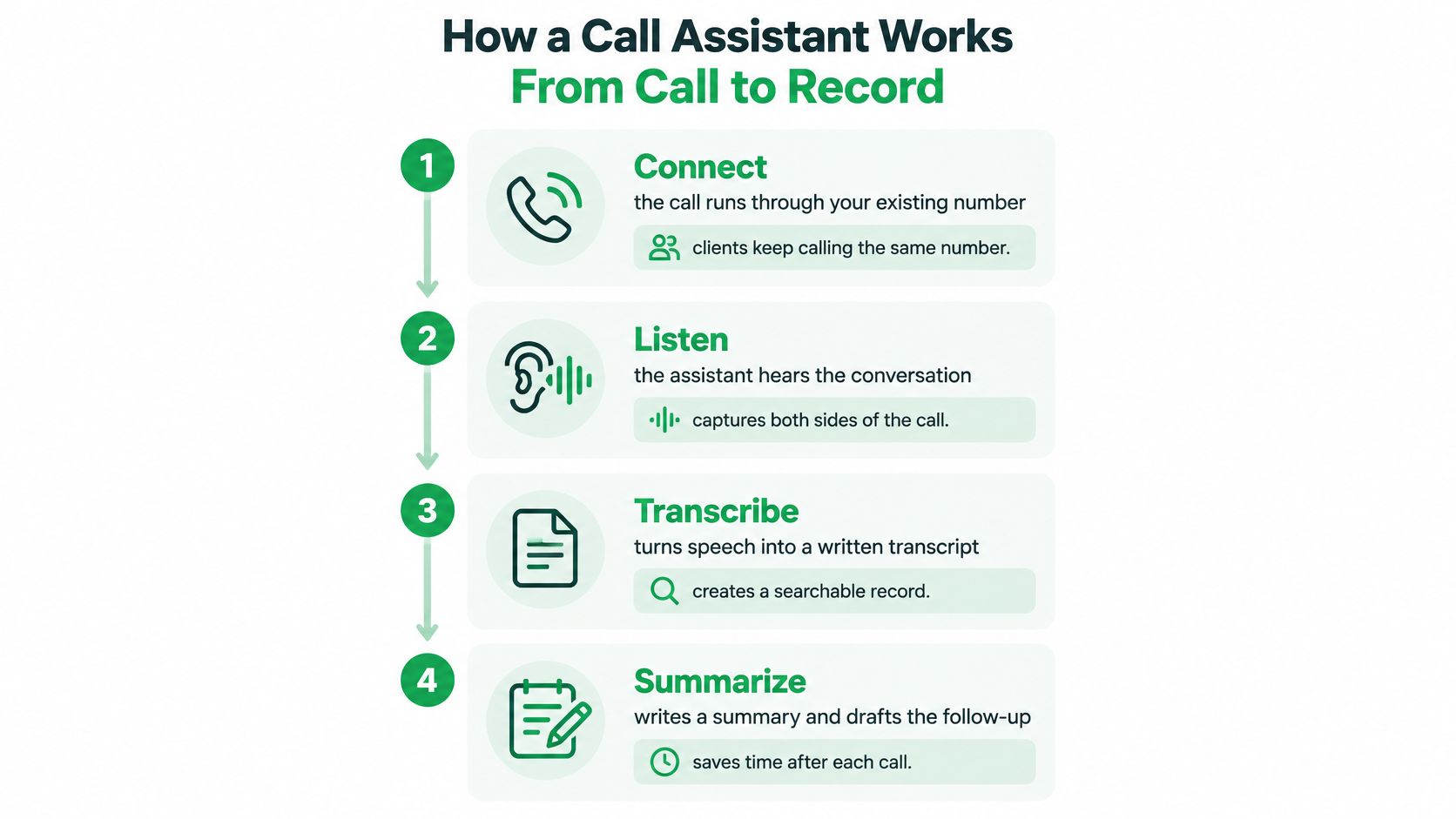
Connect the call. A service may use call forwarding to connect your existing number to its recording workflow. In our setup, incoming calls are captured automatically after forwarding is configured; outgoing calls are dialed from our app, while clients still see your own number.
Capture the conversation. The recording-enabled call flow captures audio for processing. There's nothing to press during our connected calls, which makes arranging consent before capture especially important.
Transcribe the speech. Speech recognition converts audio into written words. Language detection can help with multilingual conversations, but support for a language doesn't guarantee correct handling of every accent or mid-sentence language change.
Extract useful details. The system identifies names, amounts, dates, decisions, and commitments. It should distinguish the person requesting a document from the person responsible for sending it.
Prepare the summary. The tool condenses the conversation into a shorter account. In our workflow, a titled summary is generated automatically seconds after the call ends.
Draft the follow-up. The system uses the conversation to prepare an editable email. You review, adjust, and send it, rather than letting an unchecked interpretation become client correspondence.
Store the record. Searchable history lets you retrieve earlier details and transfer relevant information into a client file. Keep corrections clear so later readers can distinguish the original output from your verified account.
Extraction and drafting are different jobs
Identifying a promised document is different from writing a polished request for it. Microsoft Research's work on transcript-based action items found that additional context helped models rewrite fragmented spoken instructions.
That's why a useful workflow preserves context rather than generating a confident message from an isolated phrase. For a broader explanation of the telephone connections involved, you can explore AI calls and telephony through CRAIM.
The video below provides another way to approach the call-assistant workflow.
Core Features and What Each One Produces
| Feature | What you get | Where it helps most |
|---|---|---|
| Automatic transcription | Full written record of the conversation, subject to recognition errors | Checking exactly what was said |
| Call summary | Titled summary of key points | Quick review between calls |
| Action items | Decisions, deadlines, and promised documents | Following through on commitments |
| Follow-up email draft | Editable message based on the call | Replying faster after a call |
| Language detection | Support for transcription across supported languages | Multilingual clients |
| Search and call history | Past calls and transcripts you can search | Finding a figure from an earlier call |
| CRM delivery | Summary sent to a client management system | Teams keeping records in a CRM |
A transcript and a summary serve different purposes. The transcript provides detailed wording to inspect; the summary provides a quicker view. Neither should be treated as proof of perfect capture without verification.
For example, a summary may say that a client discussed changing coverage. You'll need the surrounding wording to establish whether they requested a change, asked about its consequences, or decided against it.
Match the output to the problem
Action items should make responsibility visible. A task to obtain a statement is incomplete unless you can tell whether you're requesting it or the client is sending it. A useful follow-up draft keeps that distinction intact.
Language detection is helpful when clients move between supported languages, but test names, technical terms, and figures separately. Search should also let you find the relevant passage, not merely identify a call that might contain it.
A CRM, or customer relationship management system, holds client information and work history. Review the CRM integration and API workflow with a practical question in mind: will the right record reach the right client file, with appropriate access?
Choose features by the work you need to complete, not by how many items appear on a product page.
Before buying any service, confirm what its selected plan includes. Start by testing the features that address your main difficulty, such as retrieving figures or preparing follow-up, instead of trying every available function at once.
Call Documentation Tools vs Virtual Assistants
Ask Siri to remind you to call a client, and you're giving a virtual assistant an instruction. Use a call documentation tool during that client conversation, and you're asking software to prepare a record of an exchange.
The difference is who the tool listens to and what it produces. A virtual assistant responds to your request. A documentation tool processes a conversation between people.
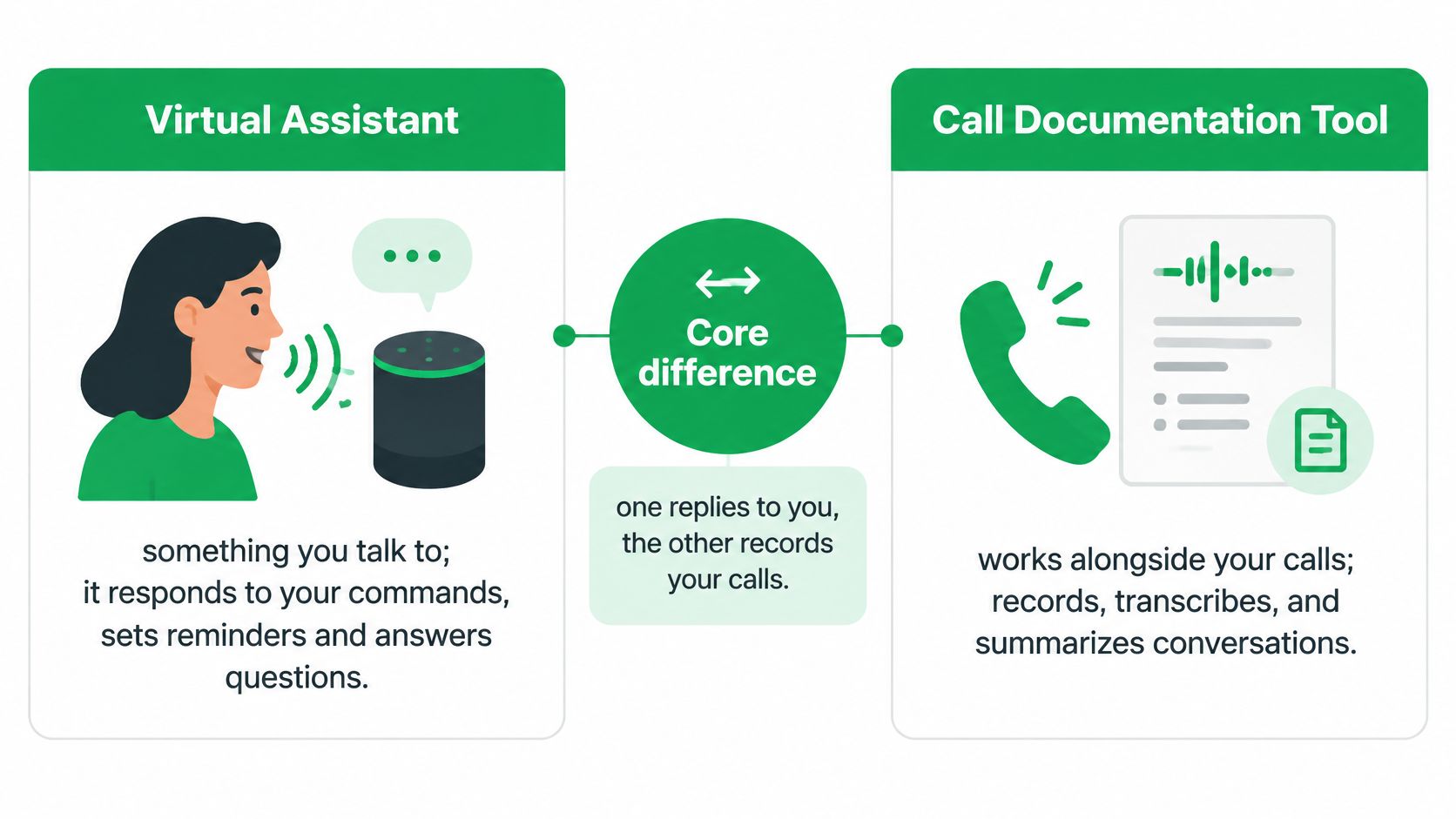
| Aspect | Virtual assistant | Call documentation tool |
|---|---|---|
| Direction | Takes instructions from you | Captures what participants say |
| Typical output | Reminders and answers | Transcript, summary, and action items |
| Client involvement | None for your personal commands | Client answers normally, with required recording notice and consent |
| Best for | Quick answers and reminders | Written record of client calls |
Choose by the job, not the label
Suppose you need a reminder to request a statement tomorrow. A virtual assistant can help create that reminder, but it won't necessarily know what the client promised during an ordinary phone call.
Suppose instead that you need to establish whether the client agreed to provide the statement. That calls for documentation of the conversation, not a general answer from an assistant.
In our call workflow, clients need no app, link, or installation. They answer the telephone normally. A simple client experience doesn't remove your recording obligations, and it doesn't mean the client receives an automatic notice.
Some documentation tools also connect transcripts to general AI assistants. You can then ask questions about earlier discussions, but that's an additional use of an existing record. It isn't the same as capturing the call, and you should consider what information the connected system receives.
The choice is straightforward: use a virtual assistant for instructions and reminders, a documentation tool for conversation records, or both when your work requires both functions.
Limits, Consent and Privacy to Check Before You Record
A misheard figure can become a plausible but incorrect summary. The software might omit a decimal, confuse a beneficiary's name, or describe a tentative idea as an agreed instruction.
NIST's study of speech-recognition accuracy found a roughly linear relationship between word error rate and task completion in the spoken-dialogue systems studied. Word error rate measures transcription mistakes, and errors can affect what a system does with the words.
Verify meaning before taking action
Compare important summary statements with the relevant transcript passages. The transcript can also be wrong, so use an authorized source or confirm directly with the client when uncertainty remains.
- Names and amounts: Check spelling, decimal placement, and who owns or receives an asset.
- Instructions: Separate questions, possibilities, and recommendations from approved actions.
- Disputed records: Preserve the correction and follow your organization's process rather than treating generated text as authoritative.
Accessibility also belongs in testing. Research on accessible generative voice assistants proposes requirements including truthful read-backs, non-visual workflows, and straightforward error repair. Test whether you can inspect and correct the record using your normal devices.
Arrange consent and control access
Canada's Office of the Privacy Commissioner guidance says organizations should explain the recording purpose, notify customers, obtain meaningful consent, and ensure outsourced providers meet privacy requirements. Continuing after receiving notice of the recording and its purpose may constitute implied consent, but don't assume that approach satisfies every jurisdiction or professional obligation.
A starting script is: I'd like to record and transcribe our call to prepare accurate notes and follow-up. Is that okay with you? Have your compliance team approve the wording and a refusal alternative, such as an unrecorded conversation with manual notes.
Consent is a conversation requirement, not just an app permission.
For cross-border calls, confirm the applicable rules before recording and follow a compliance-approved approach that satisfies all relevant requirements. Our workflow doesn't automatically notify the client.
Use a phone-call recording checklist to address storage, deletion, and access. Obtain the provider's stated retention periods in writing, including exceptions; don't assume deletion is immediate.
In our service, other users who participated in the same call may access that shared record. Treat summaries as potentially sensitive personal information too, and confirm access requests, sharing, and retention with your compliance team.
Choosing a Call Assistant for Your Client Calls
Choose a tool by testing a realistic task from beginning to end. A polished sample summary won't tell you whether the service fits your number, client-file process, or consent requirements.
Use this visual as a starting checklist.
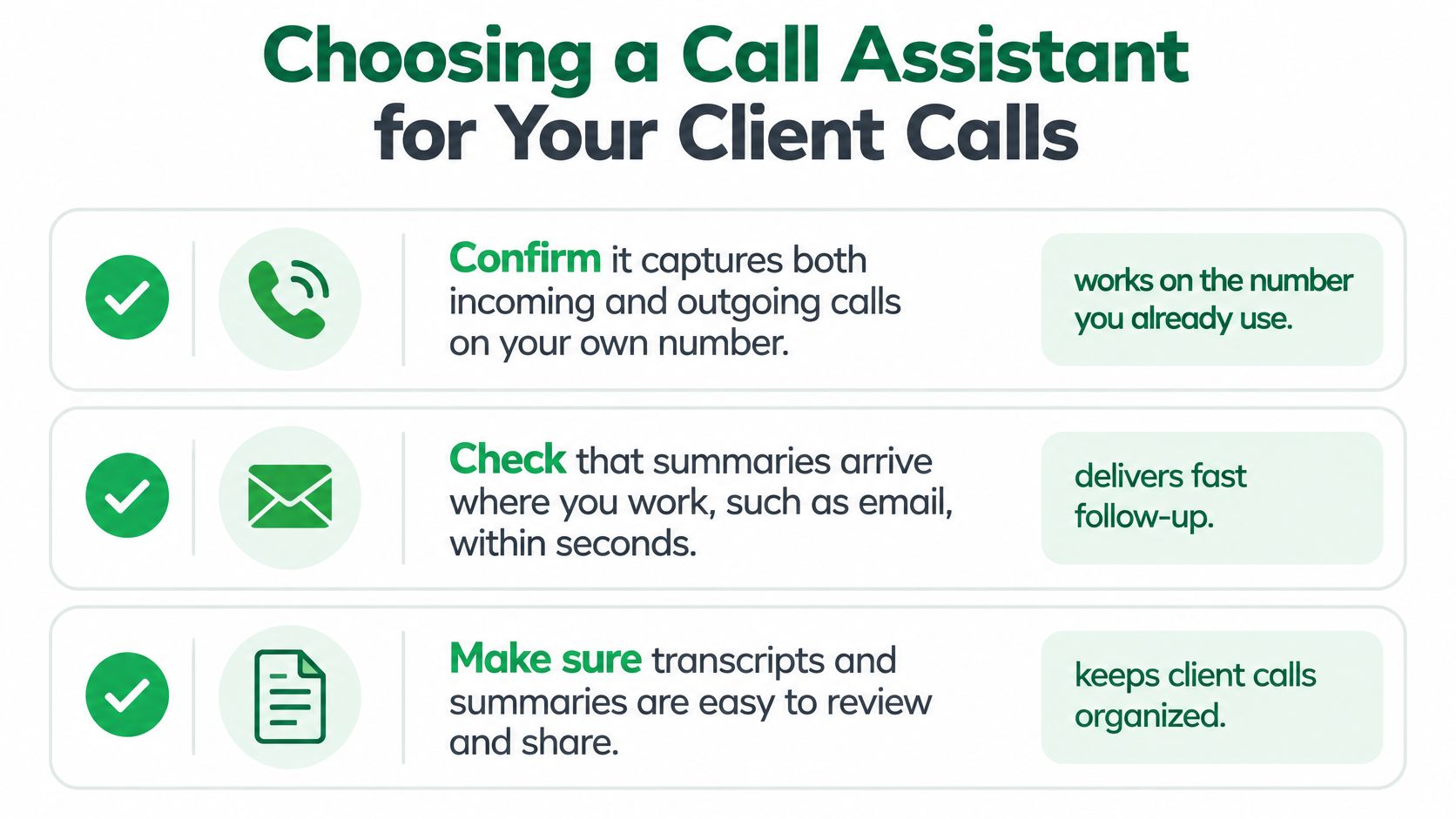
Confirm call coverage. Test incoming and outgoing calls on the number you use professionally. Check the actual dialing route and caller identification rather than assuming ordinary dialing is captured.
Test delivery where you work. Find out whether the result reaches your inbox or requires opening another application. Check that notifications don't expose confidential details on a shared screen.
Open the full record on a computer. Try locating a passage and copying relevant information into a test client file. Make sure you can distinguish the transcript, summary, and draft correspondence.
Review storage and access. Read the retention policy for audio, transcripts, and generated messages. Identify who can see shared calls and how access changes when someone leaves your team.
Prepare the refusal route. Write your approved notice and practice switching to an unrecorded option. An automatic workflow needs a deliberate way to avoid recording when consent isn't available.
Run a non-client test. With the participant's consent, discuss a document request, a tentative suggestion, and a firm commitment. Compare the output with what was said and record any errors.
Evaluate the result, not just the convenience
For example, VoxNote emails summaries to your existing mailbox right after calls, with nothing to install to receive them. Our web application provides full call history on a computer, including summaries, transcripts, and follow-up emails. It's one option; apply the same checklist to any service.
For broader note-taking habits, meeting notes guidance from AI Tool Seekers provides a useful companion to testing telephone documentation.
Run a consented test call this week. Check the generated record against the conversation and resolve your consent and access questions before using the tool for live client work.
VoxNote turns connected phone calls into transcripts, summaries, and editable follow-up drafts, giving you a record to verify before acting. Visit VoxNote to explore the workflow and decide whether it fits your client-call documentation needs.