

You're walking out of a client meeting when your phone buzzes with a voicemail notification. Under it sits a small block of text: someone from the lender's office, calling about a file, saying a number you need before tomorrow morning.
You read it in ten seconds instead of dialing in and listening. Then something doesn't sit right. The figure in the transcript looks slightly off from what you expected, and you can't tell whether the caller said 5.25 or 5.52.
That's the whole story of voicemail to text in one moment. The transcript got you the message fast, and whether you can act on it is a separate question. This guide answers both, in order, without assuming you care how speech recognition works under the hood.
Table of Contents
- What Voicemail to Text Actually Does
- Voicemail to Text Versus Live Call Transcription
- Why Phone Audio Reduces Accuracy
- Which Details to Check Before You Act
- Benefits and Limits Side by Side
- Privacy, Consent and Storage Questions
- Decide Whether It Fits Your Calls
What Voicemail to Text Actually Does
Voicemail to text turns a recorded voice message into written words, so you can read a missed call instead of replaying it. Your number doesn't change and the caller does nothing different. All the work happens after they hang up.
Here's the sequence, in the order it happens.
The caller leaves a message. Your phone rings while you're driving, in a meeting, or on another line. You don't pick up, and the caller records a message on your line instead.
The recording is stored. Your carrier or an app saves the audio, usually tied to the caller's number and the time of the call. This part is old technology. Commercial voicemail systems were being built in the 1970s, and PC-based voice processing boards introduced in 1982 made deployment cheaper, as a history of voicemail published by Interesting Engineering documents, where one cited study estimated that 78% of Americans had voicemail by 2004.
Speech recognition converts the audio into words. Software chops the recording into short sound segments, compares each one against patterns learned from a large amount of speech, and picks the most probable word sequence. Nothing magical happens here, which is why the next step is worth understanding.
The transcript arrives. The text lands in your inbox or app, often within minutes, usually with the original audio still attached and playable.
Think of the voicemail as a sealed letter and the transcript as a typed copy of it. The copy is quicker to scan, easy to search, and simple to paste into a client file. The letter is still the original, and it's still what you check when the two disagree.
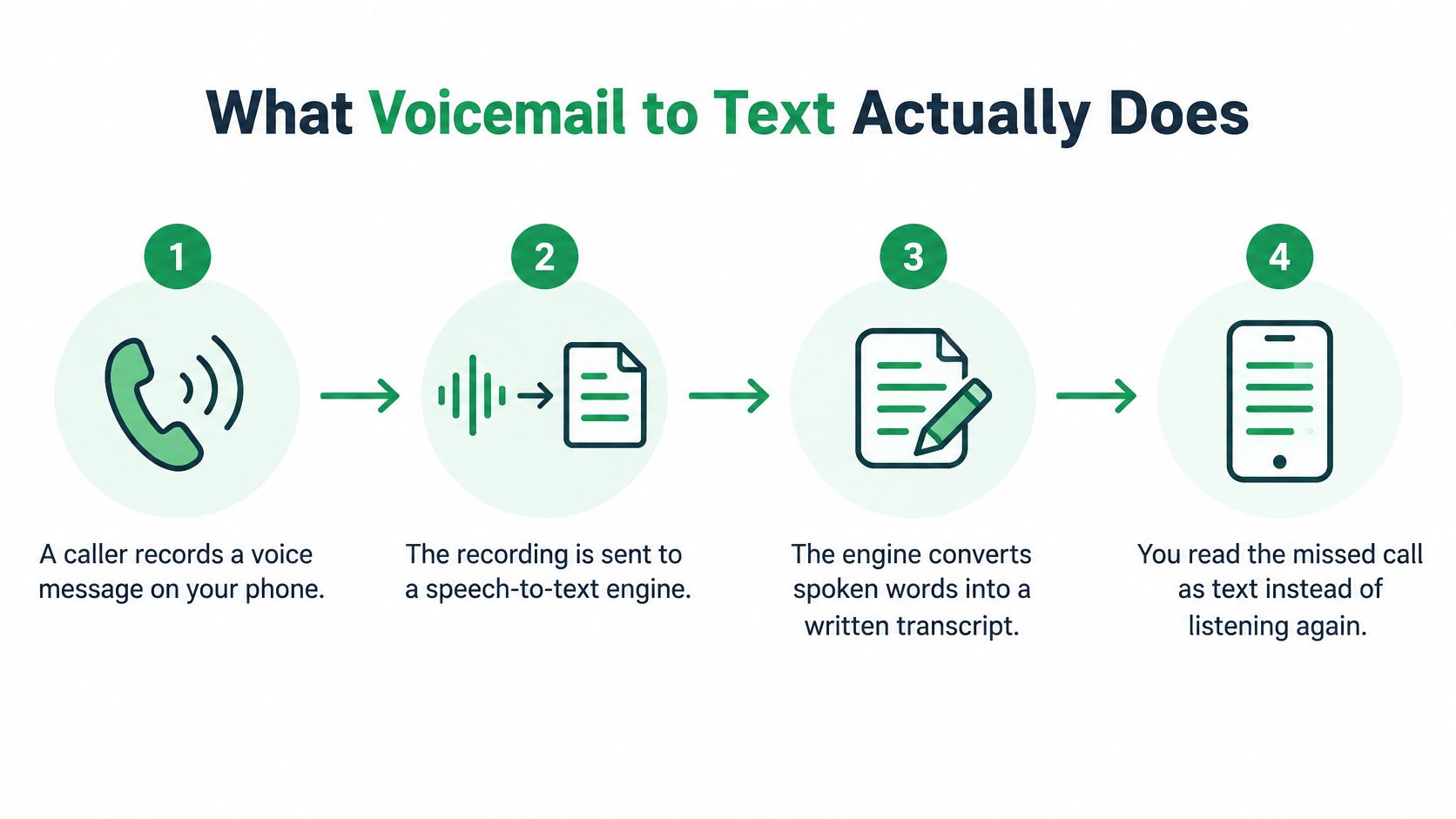
That distinction carries more weight than it sounds, because the transcript is a typed copy, not the original record. A missed word doesn't announce itself. It just sits in the text looking exactly like a correct one.
Start here: open your next transcript and check exactly two things against the audio, the caller's name and any number in the message. Thirty seconds tells you how much this tool can carry for you and where it needs you.
Voicemail to Text Versus Live Call Transcription
These two features get mixed up constantly, partly because phones label them similarly and partly because both turn speech into text. They solve different problems.
| Feature | Voicemail to text | Live call transcription |
|---|---|---|
| When it runs | After the caller hangs up on a message | While the conversation is happening |
| Audio source | One recorded message from the caller | Both speakers, in real time |
| Output | Text attached to a stored voicemail | Running transcript during the call |
| Typical length | Often under one minute | Depends on call length |
| Main risk | Short messages with no chance to clarify | Overlapping speech and interruptions |
| Original audio review | Usually kept with the voicemail | Depends on whether the call is recorded |
Read it from the top two rows. Voicemail to text only begins once a caller has finished recording, which makes the audio short, one-sided and self-contained. Live transcription runs while people talk, so it has to keep up with two speakers, crosstalk, and sentences restarted halfway through.
A lender who leaves a rate change
Say the message runs thirty seconds: the rate moved to 5.25 percent, the file is clear to close on the 14th, call back before noon. That's a triage problem. You need to know who called, what changed, whether it's urgent, and what to do next. A transcript answers all four at a glance, and the cost of a small error is low because you'd call back anyway.
A twenty-five minute discovery call
Now picture a first meeting with a new client: income details, goals, two objections, three documents promised, and a follow-up scheduled. That's a record problem. You need the full exchange, including who said what, and you'd want the recording kept rather than a summary alone.
The decision rule that follows is short. Use voicemail to text when the message is an input you must process quickly. Use live transcription when you need the conversation itself on file. Most professionals end up needing both, for different reasons.
Before you assume one tool covers both, check what your phone or app does. Many built-in voicemail-to-text features handle messages only, while call recording and transcription is a separate capability that sometimes requires a separate app.
Why Phone Audio Reduces Accuracy
A caller leaves a message from a car, and the transcript mishears a name or number. The reason may begin with the phone line itself. Traditional voice networks squeeze speech into roughly 300 to 3400 Hz at 8 kHz sampling, according to Speko's streaming speech-to-text benchmarks. That removes detail that can help distinguish sounds like s from f, or b from p. The line is built to carry a recognizable voice, not to preserve every sound perfectly.
Compression can blur sounds together. A weak signal may drop parts of words, while background noise from a car, open office or street competes with the caller. If the recording never captured a sound, transcription software cannot restore it later.
A better model cannot invent sounds the phone line never carried. The same software may do well on clean audio and struggle with a message recorded in a moving vehicle.
Three conditions make transcripts harder to trust:
- Noisy surroundings. Wind, traffic, a coffee shop or a speakerphone across a desk can mask the caller's words. If a figure matters, ask the caller to repeat it or confirm it during a callback.
- A strong accent or fast pace. Recognition software matches speech to patterns. Fast or strongly accented speech may fit those patterns less closely, so a name or amount can come through incorrectly.
- Language switching mid-message. A caller may say an amount in English and an address in French. A switch between languages can make it harder to interpret the words that follow.
Benchmarks help show the range, not predict the result of a particular message. In one large real-world telephony benchmark, the best system reached a median word error rate of 7.7%, while many providers exceeded 20% at the 75th percentile across accents and noisy conditions, as reported in Speko's streaming speech-to-text benchmarks. Those figures describe results across recordings. An individual message may be clearer or harder to understand.
Treat every transcript as a draft when a small mistake could affect a decision. Check names, amounts and dates against the original message or confirm them with the caller. For a practical guide to verifying voicemail transcripts before acting, keep in mind that the written version is a convenient record, not proof that every word is right. For live calls, how phone call transcription handles real conversations explains why phone audio can also challenge transcription while people are speaking.
Which Details to Check Before You Act
A mortgage broker hears that a rate is 5.25 percent and closing is on the 14th. The transcript shows 5.52 percent. The caller's name, greeting, and callback number are correct, but one changed digit could alter the decision. Treat a transcript as a draft, especially where a small error could carry a real cost.
What word error rate measures
Word error rate (WER) compares a transcript with the original speech. It counts substituted, missing, and added words, then divides that total by the number of words in the reference. A lower score indicates fewer errors overall, but it does not show whether the errors fall on details that matter.
Voicemail-specific evaluations report different WER results across recordings and systems. The conditions of the recording affect accuracy, so a single average cannot predict whether a particular name, amount, or deadline is correct. Even a transcript that reads smoothly may contain one consequential mistake.
Errors are not evenly important. A missed filler word may change nothing, while a substituted digit can change a rate or balance. A summary can make the message easier to scan, but it can also carry forward uncertainty from the transcript.
The details that carry cost
Before acting on a professional voicemail, check the details that identify people, numbers, timing, and promises. Use the transcript to locate them, then compare each one with the recording.
| Detail type | Example | Risk if wrong | How to verify |
|---|---|---|---|
| Names | Client or lender name | Wrong file or contact | Replay the audio and spell the name back |
| Dollar amounts | A $250,000 refinance balance | Wrong quote or decision | Confirm each figure against the original recording |
| Dates and deadlines | Closing on the 14th | Missed appointment | Check against your calendar before acting |
| Phone numbers | Callback number | Message to the wrong person | Replay the number digit by digit |
| Commitments | Send the pay stub by Friday | Unmet promise to a client | Confirm the action with the client in writing |
| Policy or account numbers | Policy reference | Wrong account updated | Copy from the audio, not from the summary |
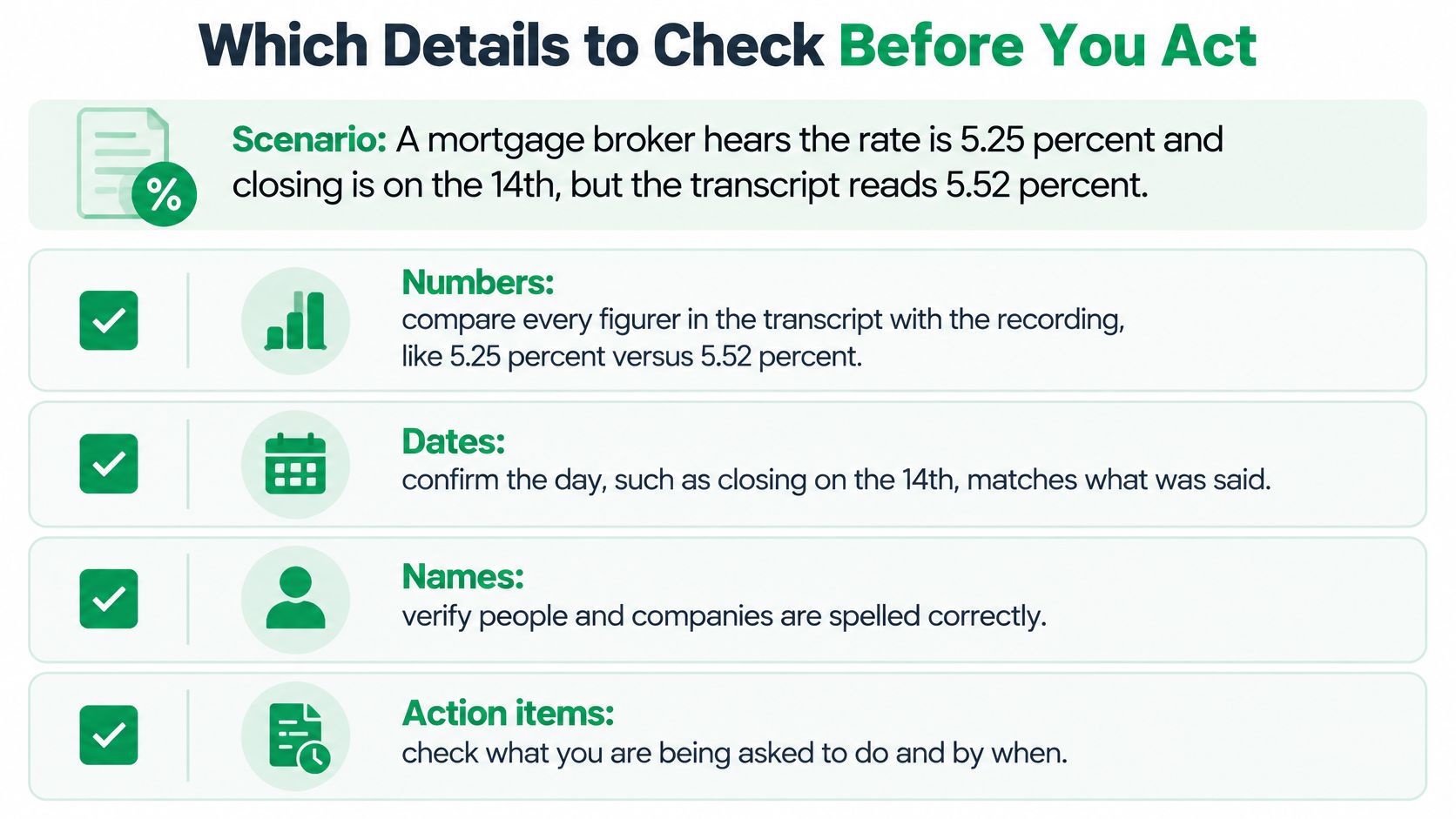
Verify before you file: Replay the audio for every figure, date, or name before adding it to a client file or using it in a follow-up. Treat a summary as a draft too, because it depends on the transcript beneath it.
Keep the process simple: replay before recording a detail, then reread before sending a message. When logging phone calls for a client file, enter the version you verified against the audio, not an unchecked transcript.
Benefits and Limits Side by Side
Voicemail to text earns its place in a working day for reasons that have nothing to do with accuracy scores.
- Read without replaying. A message can be read while driving, walking between appointments or sitting in a meeting where audio would be intrusive.
- Scan faster than listening. Reading takes a fraction of the time that listening does, which matters when six messages arrived during one client call.
- Search an old message. A name or a keyword finds a message from three weeks ago that you'd never have replayed to locate.
- Copy into a file. Verified details go straight into notes, an email or a CRM record without retyping.
- Keep a written record. You know who called, when, and what they wanted, even after the notification is cleared.
The limits are just as concrete, and each has a workaround.
- Short messages lose context. A caller who stops mid-thought never got the follow-up question. Call back when a message ends unresolved.
- Names and numbers misfire. These are the most common errors in any transcript. Replay the audio for both, every time.
- The audio may not stay. Carriers and apps delete recordings on their own schedule. Save anything that carries a figure.
- Summaries drop details. A summary compresses, and compression loses things. Read the transcript when the detail matters.
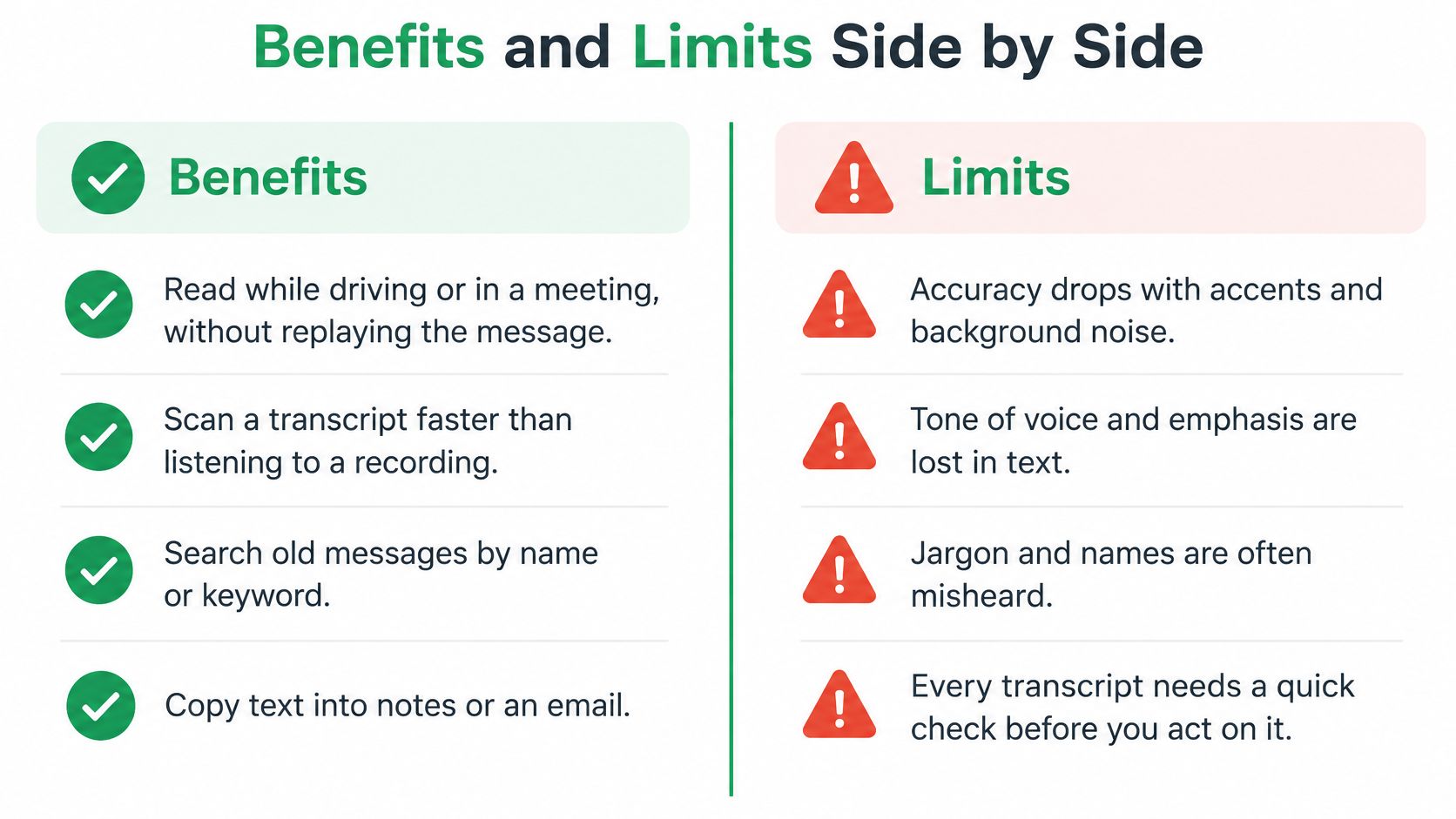
Use the transcript for triage and retrieval. Verify before you act on anything with a consequence attached.
A useful exercise takes ten minutes. List the last ten voicemails you received and mark which ones you'd have acted on from the text alone. You may find the split is roughly seven easy messages and three that needed the audio, and those three are exactly the ones where a wrong digit costs money.
Privacy, Consent and Storage Questions
A voicemail can contain financial details, health information, legal instructions or enough personal data to identify someone. That makes "check the security" useless advice. The questions that matter are specific.
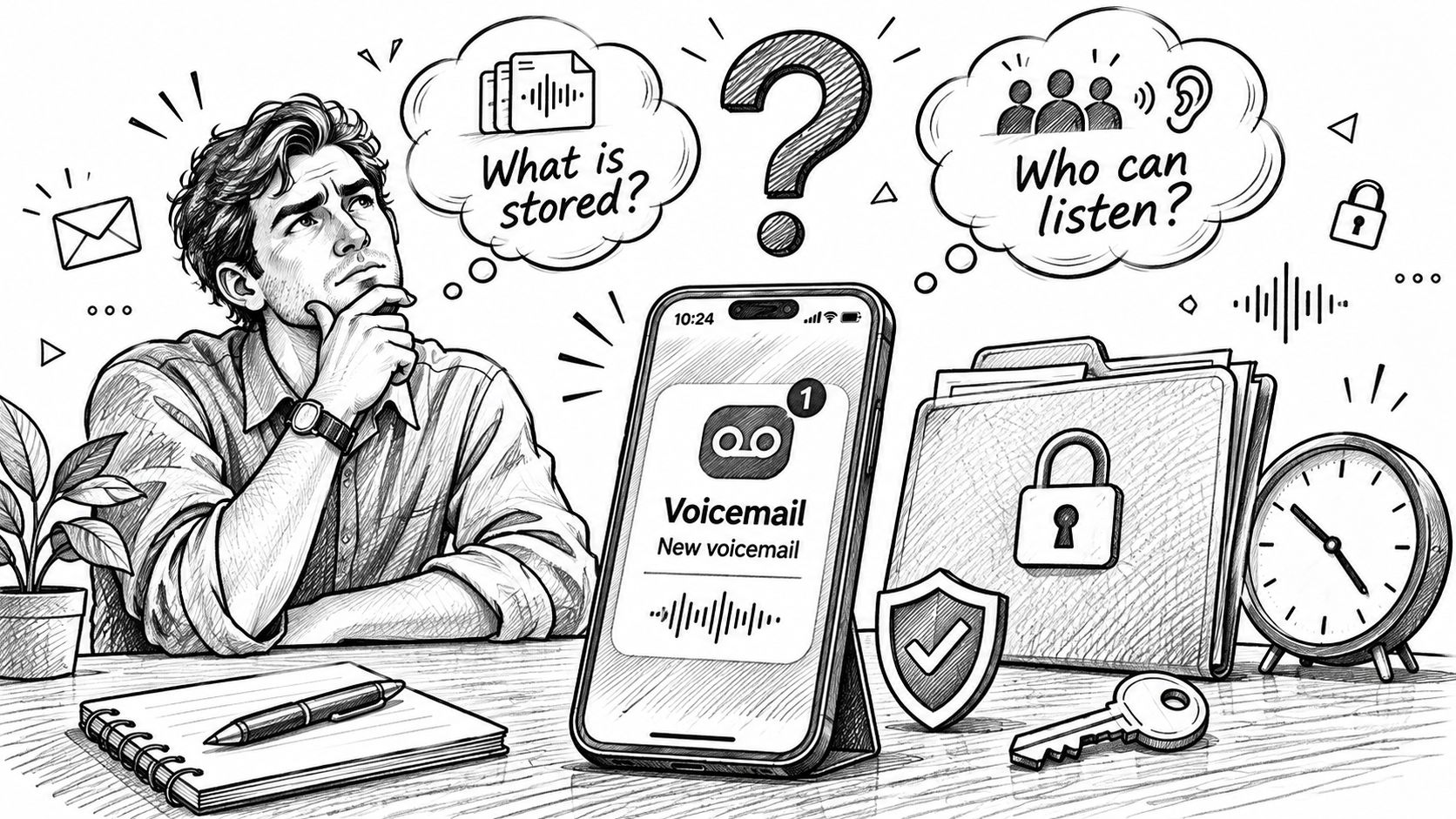
The questions that decide it
- Where are the recordings and transcripts stored, and in which country?
- Who can access them, including support staff and subcontractors?
- How long are they retained, and does deletion happen automatically?
- Are they used for model training, and can you opt out?
- Can a client request deletion, and how quickly is it honored?
- What happens when a transcript is emailed or synced to a CRM, and who sees it downstream?
Encryption alone doesn't settle governance. Access controls, retention rules, deletion procedures and downstream sharing carry as much risk as storage does, as a practical look at AI voicemail transcription for business points out in setting out what most coverage leaves unanswered.
There's a second distinction worth drawing. Reading a transcript privately is one activity. Sending an automated follow-up text or email is another, and outreach can trigger separate consent and marketing rules, including Canada's CASL and the U.S. TCPA.
A five-step decision path
- Give notice or get consent where the law or your regulator requires it, and record how you did it.
- Limit access. Team members and CRM connections should reach only the messages their role needs.
- Set a retention period and make sure deletion happens on that schedule rather than by accident.
- Keep the original audio available for verification on any message that carried a figure.
- Require human review before any generated follow-up is sent to a client.
On the safe side: write this as a one-page team policy, signed off once, so nobody has to make a privacy judgment call in the middle of a busy Tuesday.
If you're evaluating tools that record and transcribe calls rather than messages, the same six questions apply. This overview of call recorder software considerations covers what to look for.
Decide Whether It Fits Your Calls
Voicemail to text fits when messages are a real part of your inbound work and you're willing to verify the few details that carry cost. If your calls are almost all live conversations, live transcription matters more.
Run a four-step test:
- Count how many voicemails you handle on an ordinary day.
- Mark how many contain figures, dates or commitments you act on.
- Compare a week of clear and noisy messages against their audio, transcript by transcript.
- Settle the privacy questions on storage, access, retention, training use, deletion and CRM sharing before you connect anything to a client database.
If you also take live calls and need records of those conversations, VoxNote is one option that transcribes and summarizes phone calls on your existing number, with no new SIM, hardware or number porting. You can keep a call out of it by excluding the contact ahead of time or stopping transcription mid-call, and the 7-day free trial keeps your number unchanged.
Run the four-step test on your next week of calls. You'll know by Friday whether the tool is saving you time or adding a checking job.
VoxNote transcribes and summarizes the phone calls you already take on your existing number, so a lender's message and the live conversation that follows both end up as text you can check. Start with the 7-day free trial, keep your own number, and read the first few transcripts against the audio before you rely on them. Visit VoxNote to see how it fits the calls you handle every day.