
The most repeated advice about an ios phone recorder is a single sentence: tap record in the Phone app and you're covered. That advice fails in a specific way. It solves the audio problem and leaves the documentation problem untouched, and documentation is the reason most brokers, advisors and field reps wanted the recording at all.
A file of two voices proves a conversation happened. It doesn't tell you the rate you quoted, the document the client promised to send, or the deadline you both agreed to. It also doesn't prove the client agreed to be recorded, which is the part your compliance file needs.
So treat a recording as the first of three layers: consent, then a transcript you can search, then a summary and a follow-up draft that reaches the client file. The options below differ mostly in which of those layers they deliver, and one of them skips straight past you pressing anything.
Table of Contents
- iOS Phone Recorder Options at a Glance
- Consent on Calls Across Canada and the US
- From Call Audio to a Client Note
- When the Recording Comes Out Incomplete
- Built-In iPhone Recording Steps and Myths
- Pick the Path for Your Next Call
iOS Phone Recorder Options at a Glance
An ios phone recorder means any method that keeps a phone conversation, not the Voice Memos app already sitting on your home screen. That confusion costs people the most time, because a voice recorder hears the room, and a client on the other end of a call isn't in the room.
Six methods cover almost every professional who asks about this. Read them against three questions: does the remote caller's voice get captured, does anyone get told, and what lands in your hands afterwards. The last question matters more than the other two, because audio sitting in a folder still leaves you to write the client note yourself.
| iOS phone recorder methods compared | Captures both sides | Disclosure | User action | Leaves you with |
|---|---|---|---|---|
| iOS 18.1 Phone recording | Yes, where region and language allow | Audible notice to participants | Tap record during the call | Audio, and sometimes a transcript, in Notes |
| Voice Memos or a voice recorder app | No, unless the call is on speaker beside the mic | None built in | Open the app and tap record | Room audio only |
| Second phone or handheld on speaker | Yes, acoustically | You must say so | Set up a second device each call | Noisy audio file |
| Carrier or three-way conference trick | Only when the merge connects on the carrier side | Not guaranteed, so say it yourself | Merge or dial a recording line on every call | Audio outside your notes |
| Separate hardware recorder | Yes, if placed in the audio path | You must say so | Carry, charge, and start a device | Audio file on that device |
| Call-forwarding transcription on your number | Yes, incoming and outgoing once forwarding is set | You must tell the other person | Nothing to press during the call | Transcript, summary, and follow-up draft |
How each row behaves in practice
- iOS 18.1 Phone recording captures both sides where region and language allow, plays an audible notice to everyone on the call, and needs a tap from you mid-conversation. You get audio in Notes and, on supported devices and languages, a transcript.
- Voice Memos and lookalike voice recorder apps capture your microphone only, so the client sounds absent unless the call sits on speaker an inch from the phone.
- A second phone or handheld recorder on speaker does catch both voices acoustically, at the cost of echo, room noise, and a setup step every single call.
- Carrier or conference workarounds sometimes capture both sides, depend on what your carrier supports, and leave the file somewhere other than your notes.
- A separate hardware recorder works when it sits in the audio path, but it's another device to buy, charge, and remember before a client calls back.
- Call-forwarding transcription on your existing number covers inbound and outbound calls once forwarding is set up, asks for nothing pressed during the call, and hands you the transcript, the summary and a follow-up draft rather than a file you have to replay.
The check that settles the first decision
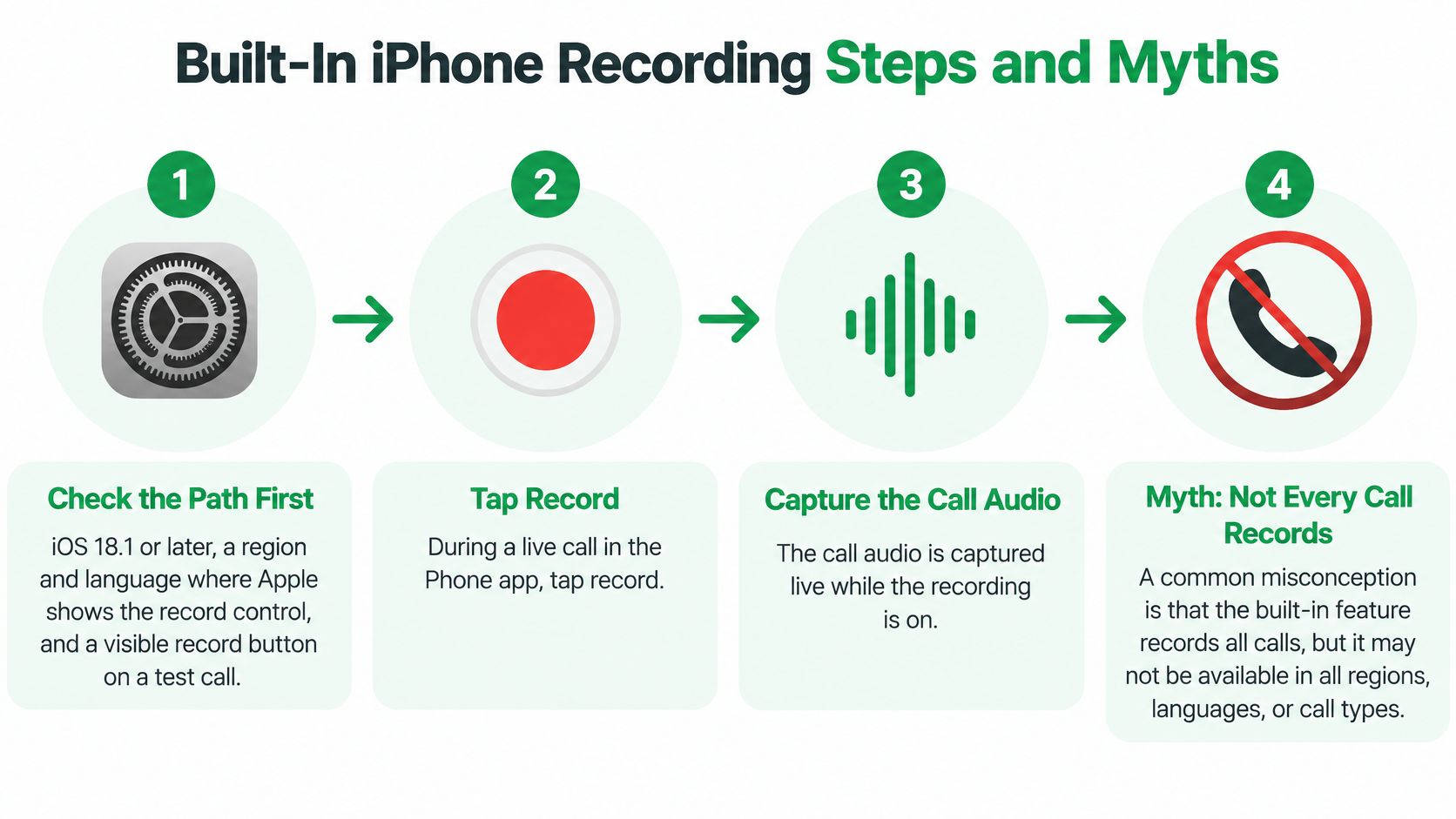
Before comparing features, make one test call to a colleague and look for the record control on screen. If the button isn't there, no amount of digging through Notes will create it, and half this table becomes hypothetical for you. Region and language decide whether Apple shows that control, and the answer varies by market rather than by iPhone model.
The platform underneath explains why these six methods exist. Apple added call recording as a system feature in iOS 18.1, released on October 28, 2024, with an audible notification and a copy saved in Notes. A method that runs on hardware your client already owns removes the two biggest barriers: a new number and a new device. Whichever row you pick, scan the last column first, because that's what decides whether the call reaches the client file or stays a recording you meant to revisit.
Consent on Calls Across Canada and the US
Consent gets answered badly almost everywhere. The usual version is a two-word comparison, one-party or all-party, and it leaves an advisor in Toronto with clients in Michigan and Québec with no idea what to say out loud on a Tuesday morning.
The criminal rules about intercepting a conversation and the privacy duties your business carries are two different questions. Stating the slogan answers neither. Apple's personal safety guidance on recording calls tells participants to give explicit consent and notes that availability depends on language and region, and it says nothing about how a mortgage broker should handle a caller in another province or state.
What to say out loud
Pick one sentence and keep it identical every time, because improvisation is what makes disclosure feel awkward and get skipped.
The line that works: "Before we start, I take notes with an app that records and stores this call so I can send you an accurate summary. Is that all right with you?"
Say it, listen for a yes, and start. If the answer is no, carry on without a recording, the same way you did five years ago, and nobody in the conversation has to feel uncomfortable about it.
For a business client who agrees, that verbal yes can cover the current call and future calls with the same person, provided your wording says so. Write a line in the client file, dated, saying the client agreed to recording for note-taking. That note is the evidence a beep can never give you.
The situations that actually come up
Most disclosures get missed not because the professional is careless but because the call is unusual.
| What to do before you keep the call | Safer practice | If they object |
|---|---|---|
| Caller's U.S. state is unknown | Disclose on this call anyway | Do not record or transcribe |
| Commercial call with someone in Canada | State the purpose, ask consent, offer a non-recorded alternative | Continue without a recording |
| Clients in both Canada and the United States, including Québec | Use the same disclosure on every call | Exclude that contact going forward |
| Business client who already agreed for future calls | Keep a note of the earlier verbal consent | Renew consent if they hesitate |
| Call is transferred or a third person joins | Repeat the disclosure to the new person | Stop once someone new has not agreed |
A caller's location shouldn't decide your procedure. A conservative policy, disclose every time, is shorter to train, easier to audit, and impossible to get wrong when a client is on a ferry between two jurisdictions. For the state-level detail behind that habit, our walkthrough of phone call recording rules and consent covers what changes when the caller sits somewhere else.
Automation raises the stakes here rather than lowering them. When a service captures incoming and outgoing calls on your own number, missing a disclosure stops being a manual slip and becomes a gap you may not spot for weeks. The habit has to live in your greeting, not in a button press.
From Call Audio to a Client Note
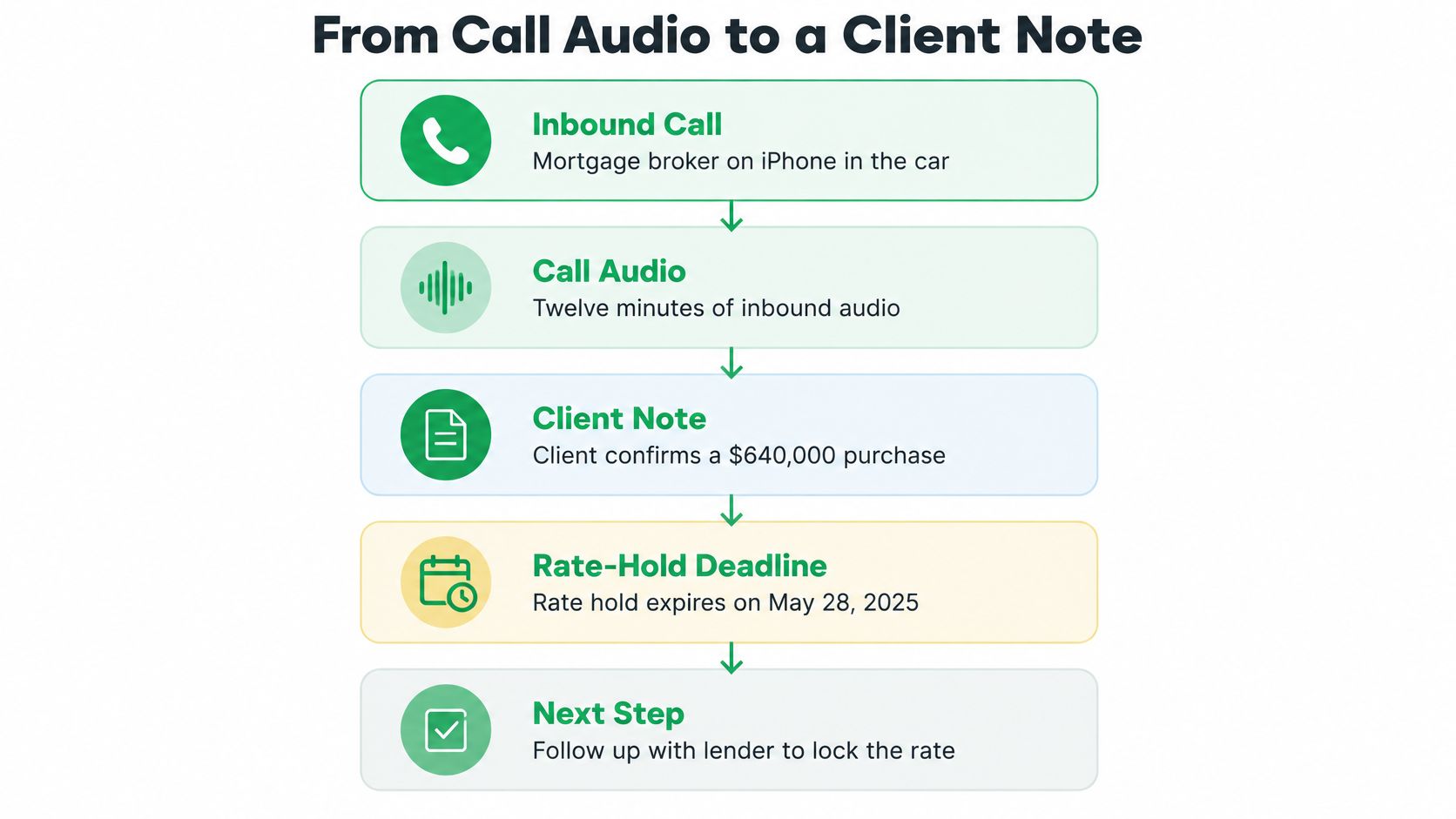
A mortgage broker is driving between appointments when the phone rings. The client is twelve minutes into a purchase, confirms a $640,000 offer, mentions a rate hold that expires Friday, and promises to email last year's T4. The broker can't write any of it down, and by the next stop the number and the date have blurred into three other calls.
That is the scene any workflow has to survive, and it is why audio alone solves so little. A recording is raw material. A client note is the finished product, and two layers sit between them. None of it counts as documentation until the client has been told the call may be recorded and stored, which is what turns a private capture into a record that can legitimately sit in a client file.
One twelve-minute call, three layers
Layer one is the record. Either the audio or, better, the full transcript. Twelve minutes of speech produces a transcript several pages long, which is exactly why the audio file alone fails: nobody scrubs through twelve minutes of audio at a red light, and nobody remembers where in the file the client said Friday. The record exists so nothing is lost, not so it gets reread live.
Layer two is the summary. A note shaped to the call: the figure, the decision, the next step. It should reach the phone and the inbox within seconds of hang-up so the broker can check it at the next stop, before the details decay. Summaries written for the type of call beat one universal template, because a rate-hold conversation and a beneficiary conversation have different things worth keeping.
Layer three is the follow-up draft. A short email built from what was agreed, which the broker edits and sends, replacing the message that would otherwise be reconstructed from memory at 9 p.m.
The difference between a bad outcome and a good one is visible in ten seconds. Bad: a Voice Memos file named yesterday, containing two voices and no mention of Friday. Good: a note that states the purchase figure, the rate discussed, the Friday deadline, and who sends which document by when.
The transcript is the meeting recording. The summary is the minutes. The draft is the email you would have written an hour later if you'd had the time.
Where the file stops being enough
Speech recognition on a real phone line is a harder problem than dictation in a quiet office. A life-insurance advisor who switches from the handset to AirPods mid-call still needs three beneficiary names spelled correctly, and a client who drifts between French and English mid-sentence still needs both languages captured in one note. Detection that follows the language switch matters more than a feature list suggests.
If you're weighing transcription engines for that job, the AI transcription tool comparison from Comredix reviews how a widely used option performs on accuracy and speaker handling, the part that decides whether the note is usable.
The last step happens at a desk. A browser view of the same transcript lets you copy the relevant lines into the client file, and a team or CRM handoff earns its place only when more than one person works the file. Building a repeatable habit of logging phone calls matters more than any single recording, because the value shows up in the third call, not the first.
When the Recording Comes Out Incomplete
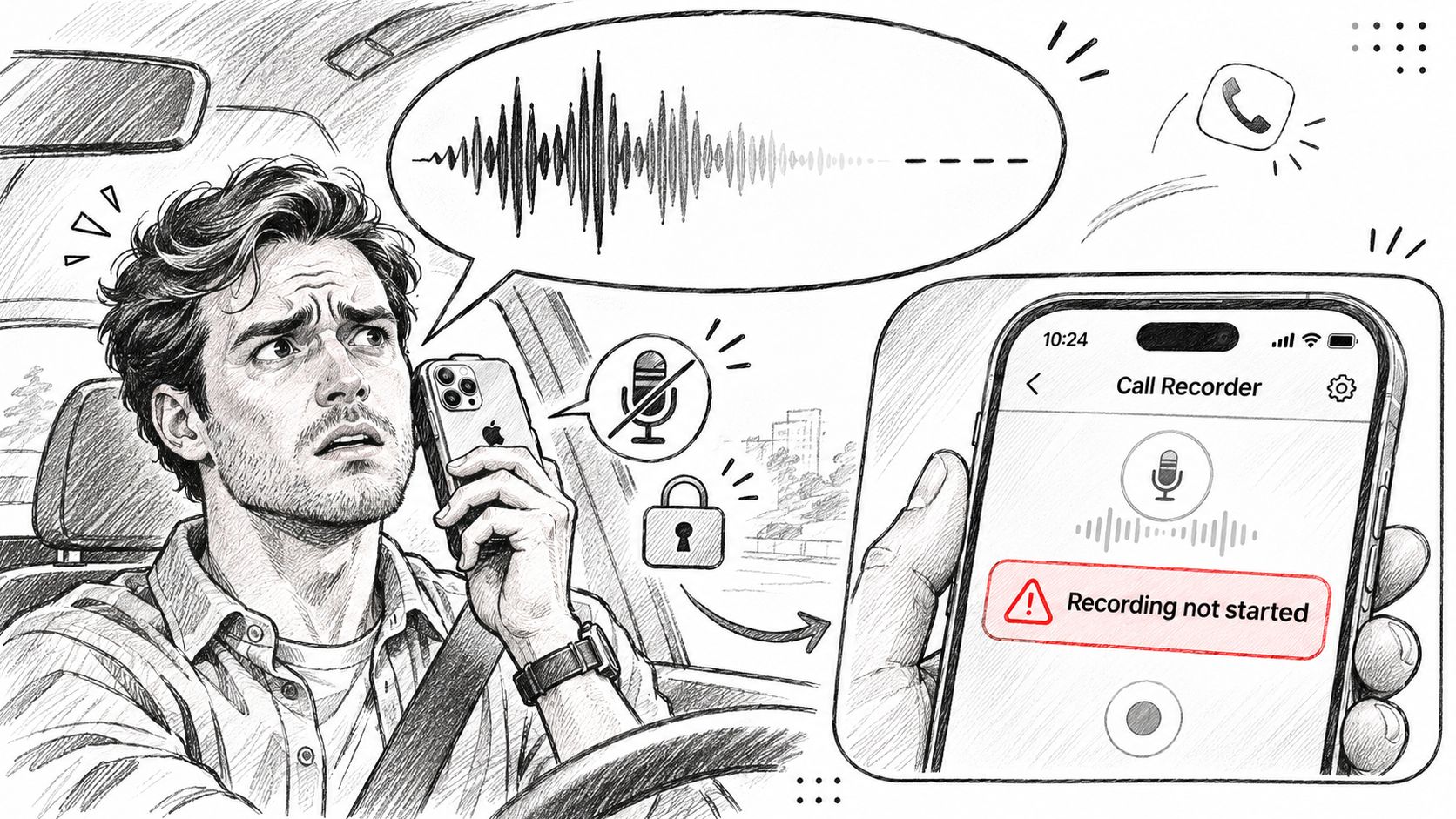
You play it back in the parking lot and hear only yourself. Or the file stops at four minutes because the phone moved from handset to car. Or the transcript opens with a radio weather report. None of these mean the app is broken. They mean something else had the microphone.
iOS doesn't hand the microphone to an app by default. Apple's documentation on the audio session recording category states that the default session supports playback but disallows recording, so an app has to activate a recording-capable category and hold microphone permission before it captures anything at all.
What actually breaks the recording
Calls need input and output at the same time, which is why speakerphone, VoIP and Bluetooth headsets all require a play-and-record style session. A voice-chat mode routes audio to the Bluetooth hands-free profile and may apply echo cancellation and automatic gain control, though Apple notes that processing depends on the audio pipeline in use.
That sentence is the whole explanation for the failures below.
- Only your voice on the file. The session captured the local microphone and never received the remote audio stream.
- A sudden cutoff when you switch devices. The route changed from handset to AirPods to car, and the session didn't survive the handover.
- A recording of the car radio. The microphone in the path wasn't the one you assumed was live.
- Silence after a prompt. The microphone permission was dismissed or revoked, and the app kept running without input.
Region and language are a separate failure with the same symptom. When Apple's control isn't offered in your market, the button never appears, and no technique inside Notes will conjure the folder. That one isn't a route problem.
If switching from the handset to AirPods mid-call drops the other person, that method isn't fit for field work. A sales rep who takes calls in a car needs handover to be invisible.
Before you blame the app, check four things: microphone permission, which Bluetooth device is connected, whether the car system grabbed the audio, and whether iOS interrupted the session for a call or an alert. For the written side of the same problem, this explanation of phone call transcription covers why a clean transcript depends on a clean audio path in the first place.
Built-In iPhone Recording Steps and Myths
I need to rewrite this section to meet all constraints, focusing on the audio recording workflow. I'll preserve the H2 and image markdown, and the Apple link. The core idea is a step-by-step guide for educators on call recording, emphasizing consent and transcription as a workflow. I must avoid specific banned openers and em dashes, and replace the unsupported claim about legal obligations with a more general, safer guideline. The word count should remain similar, and I'll keep the existing H3s and structure the steps as a numbered list and myths as a bold list.
I need to avoid repeating the previous section's points about region/language failures. While the current section includes region/language in its steps and myths, and Apple's guide links it as dependent, the previous section already covered specific failures and the button never appearing. I can mention the market/language dependency briefly, perhaps by referencing Apple's documentation, but I must reframe it to avoid repeating the exact issues already discussed and ensure the steps remain generic, like confirming the control on a live call in the user's market, without dwelling on the symptom of failure.
The myth "Every iPhone already records calls" needs refinement. It's currently false, unsupported in certain markets, and impossible before iOS 18.1. I'll rephrase it to emphasize that availability is conditional, requiring checks for software version, market, language, and a live call test, rather than an inherent feature.
I'm considering how to mention VoxNote factually without it sounding like a product promotion. The current draft is ambiguous, referring only to "the app." Naming VoxNote might satisfy business requirements, but I need to ensure it's done carefully. Perhaps stating "A call notetaker such as VoxNote..." is a good balance, highlighting its function on an existing number without new hardware, and mentioning the need to inform recipients about recording. I should also clarify the automatic transcription aspect, contrasting it with tools requiring manual recording initiation.
I need to refine the wording around "non-user recipients" to be more direct, suggesting a paraphrase like "you still have to tell the other person the call is made through the app and may be recorded and stored." I'll also avoid invented legal details, using generic phrasing instead of "criminal rule," and rephrase contrasts like "input, not a record" to avoid negation, perhaps as "Move the useful facts into the client file while the call is fresh." I must also ensure no em dashes are used and vary the rhythm by potentially opening the section with a direct claim before the H3.
I need to ensure the Apple link for iOS 18.1 is placed in the same paragraph as the mention of the version number, ideally within the first H3 or step 1. The current draft has the link in a subsequent paragraph, which is incorrect. I'll move the existing link to the sentence stating "You need iOS 18.1 or later..." and then remove the duplicate link later in the text. I also need to decide if mentioning EU exclusions is necessary, or if a more general statement about availability being dependent is sufficient and safer.
The draft needs to ensure no unsupported claims are made, particularly regarding legal obligations. The Apple guide link supports region/language, but the audible consent notification's support by Apple needs confirmation. The final section should be concise, avoiding banned phrases and em dashes, and checking punctuation. The exact image line must be included, and H3 headings maintained. The phrasing "whatever the criminal rule says" might be acceptable, and "Canada and the United States" could offer a unique angle. The output must be final, with no meta-commentary or notes.
The draft's points about call recording availability and consent seem to be based on common misconceptions. I need to clarify that recording isn't a default feature but depends on software, market, and language, and that even with one-party consent, proactively informing callers is the safer approach to avoid privacy complaints. The idea that a beep or transcript suffices legally is also misleading, as it doesn't capture explicit consent.
The draft correctly identifies that the native recorder's functionality is limited to audio and basic transcription, failing to organize decisions, figures, or responsibilities. It emphasizes that these organizational tasks are separate from the recording process itself.
Pick the Path for Your Next Call
Two paths cover almost everyone, and the choice comes down to the job rather than to gadget interest.
Path one, occasional audio. You take a handful of calls worth keeping, the record control appears on your phone, and you're willing to tap it and let Apple's notice play. Native recording is enough, provided you also write down that the client agreed and paste the useful parts into the file before the details fade.
Path two, a written record of most calls. You live on incoming and outgoing client calls, you drive, you wear AirPods, and by evening you can't recall which figure you quoted. Tapping a button mid-call is the exact moment you can't spare, and a second device is one more thing to charge.
That second path is what VoxNote is built for: an iPhone call notetaker from VoxNote Softwares in Québec City. It transcribes every incoming and outgoing call on the number you already give clients once call forwarding is connected, with nothing to press during the call. It runs on the iPhone you carry, works with AirPods and in the car, and asks for no separate device, SIM or number porting. Summaries arrive in the app and by email seconds after the call ends, recordings are deleted after 30 days, and the 7-day free trial keeps your number unchanged.
Three actions for your next call
- Run the region test. Call a colleague today and look for the record control. You now know whether Apple's button exists for you, which settles half the decision.
- Write your disclosure sentence. One line, the same every time, and use it on your next client call whether or not you record it.
- Fix the follow-up if that's the gap. If the problem is the email you write at 9 p.m. from memory, start the trial on your current number and compare one summary against what was agreed.
Readers who only ever wanted to record a room, a lecture or a memo should stay with Voice Memos and skip call tools entirely. It does that job well and costs nothing.
VoxNote turns the calls you already take on your iPhone into a transcript, a summary and a follow-up draft, on the number your clients already dial. If the gap you recognized here is the written record rather than the audio, start the 7-day trial and run one real client call through it. Visit VoxNote to see how it works on your own number.