
Your last call ended a few minutes ago and you're already back in traffic, or standing in a driveway, or walking into a client's kitchen. The conversation itself is still vivid: what the client worried about, how she said it, the pause before she agreed to send something over.
The details are another matter. Which number did you quote? What exactly did you promise to email, and by when?
The distance between remembering a conversation and being able to act on it is where conversation intelligence for sales earns its place, especially for people who sell by phone instead of in scheduled video meetings. Here's how it works, what the numbers say, and where a person still has to check the work.
Table of Contents
- Why the Call Fades After You Hang Up
- The Sales Numbers Behind Call Capture
- How a Phone Call Becomes a Usable Record
- Where Captured Calls Go in Your Workflow
- One Workday on the Phone Clients Already Use
- What to Check Before a Note Leaves Your Hands
- Start on the Number Clients Already Call
Why the Call Fades After You Hang Up
You're in a parking lot with the engine off, replaying a call with a couple who want to refinance before their renewal date. You remember the part that mattered most: she's worried about the penalty, he wants the payment to stay flat. You can't remember the rate you quoted, whether you promised the 2019 notice of assessment or the 2021 one, or which afternoon you agreed to call back.
That half-remembered state is the ordinary end of a phone-first selling day.
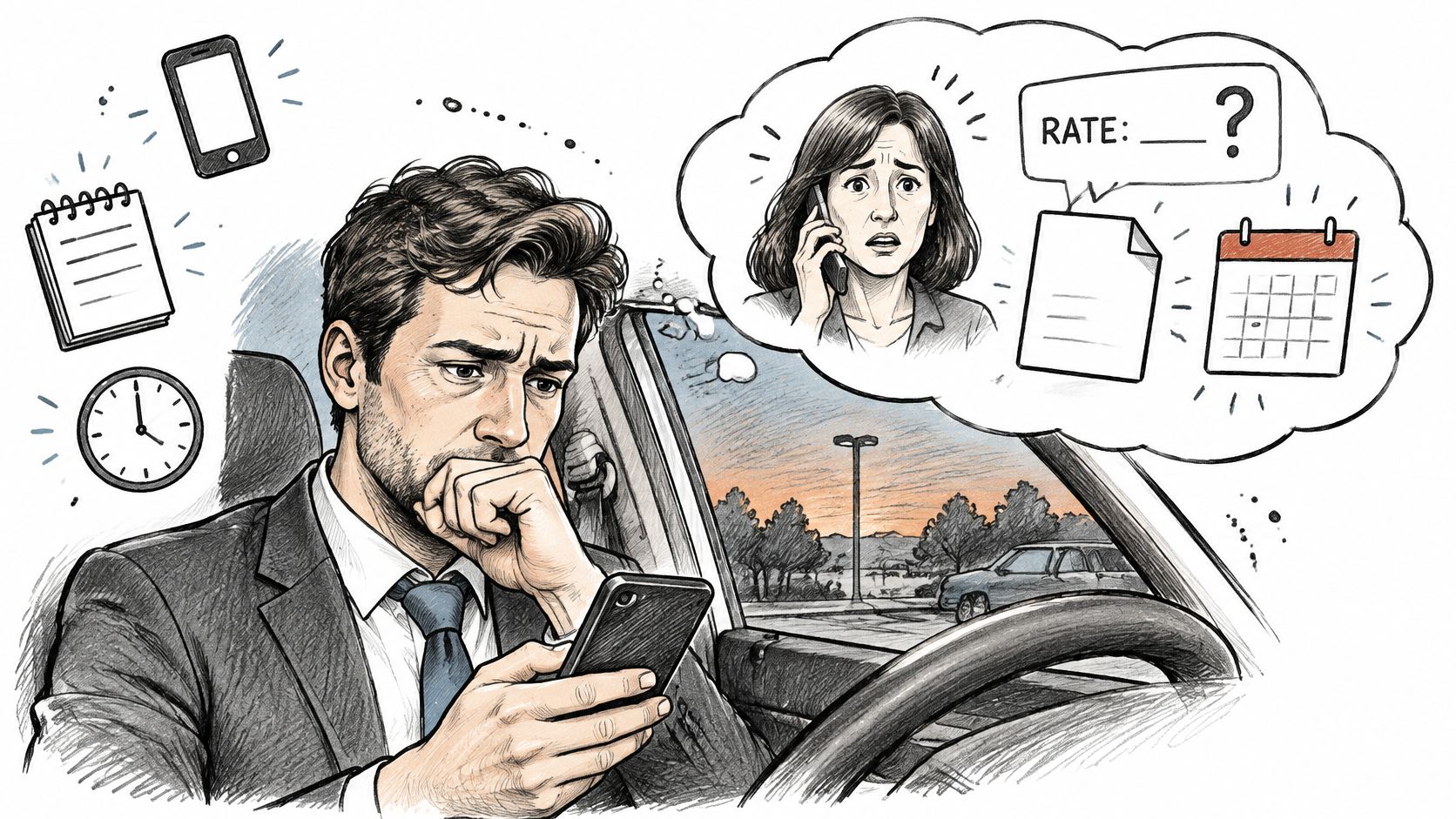
None of this is a character flaw. A 25-minute conversation has to be carried in your head until you find a keyboard, and the next call starts before you do.
Conversation intelligence for sales is software that takes a real phone conversation and turns it into three usable things: a transcript of what was said, a short summary of the numbers and decisions, and a follow-up draft that a person still reads before sending. Think of a careful assistant writing while you keep eye contact. Not a manager sitting in the corner of a video meeting with a dashboard.
That distinction matters. Most writing on this software assumes a team workflow of recorded video meetings, invited bots, coaching scoreboards and CRM automation. If you're an independent mortgage broker, a life insurance advisor or a field seller whose selling happens on one mobile number, that picture doesn't match your day. If you're still weighing the basic question, start with do you need call recording software as a plain yes or no before you compare feature lists.
The pressure is measurable. In 2025, 68 percent of sales professionals named note-taking and data input as their most time-consuming tasks, according to Salesforce research cited in Cirrus Insight's sales automation statistics. And 22 percent of sales leaders said manual data entry is a major factor slowing their teams, in Regie.ai's State of Sales Development Report.
What follows covers the numbers that justify capturing calls, the pipeline that turns audio into a record, where that record goes, one full mobile workday, and the checks to run before anything is saved or sent. By the end you'll be able to judge a tool by a single test: whether it fits the phone your clients already call.
The Sales Numbers Behind Call Capture
Conversation intelligence earns its place in a business when it returns hours you already lose, and when it protects a follow-up sequence that rarely finishes on the first touch. The figures below come from two different periods, and they point at the same loss.
| Measure | Figure | What it means for the next call |
|---|---|---|
| Selling time in a standard week | 35.2 percent, about 14 of 40 hours | Notes and record updates compete with customer time |
| Administrative work | 14.8 percent, about 5.9 hours | Rebuilding a call from memory sits in this block |
| Explicit time management | 18.9 percent more time selling | A repeatable capture habit can return hours |
| Sales that need five or more follow-ups | 80 percent | One forgotten next step breaks a long sequence |
| Representatives who stop after one attempt | 44 percent | Missing details make the second touch less likely |
| Deals won by the first response | 35 to 50 percent | Speed depends on having the call already written |
| Note-taking and data input in 2025 | 68 percent name it the most time-consuming task | This is the task capture should shrink first |
| Leaders citing manual data entry | 22 percent say it slows the team | CRM updates should start from the call, not memory |
What the time study says about your week
Start at the top. A 2018 survey of more than 700 sales representatives found that only 35.2 percent of a standard 40-hour week went to selling, roughly 14 hours, where selling meant external customer meetings, client follow-up and prospecting, as InsideSales' analysis of sales rep time reports. Administrative work alone took 14.8 percent, about 5.9 hours. The same survey found that representatives using an explicit time-management approach spent 18.9 percent more time selling than those without one.
Rebuilding a conversation from memory sits inside that administrative block. So does retyping a summary into a client file at nine in the evening, and so does writing a follow-up email by scrolling back through your own recollection of a call you took in a parking lot.
Why one call rarely closes a sale
The follow-up rows explain why a lost detail is expensive rather than merely annoying. A 2025 sales automation guide from MarketsandMarkets reports that 80% of sales require at least five follow-ups, while 44% of sales representatives stop after only one attempt, and that 35% to 50% of deals go to the vendor that responds first.
Read that beside the time study and one diagnosis falls out. The figures you can't recall and the second touch you never make are the same problem. A call that ends without a written record of the promised document, the deadline and the agreed next step produces a follow-up that is late, vague, or never sent at all.
A tool doesn't replace the human conversation. Its only productivity claim worth paying for is that it keeps what the conversation produced.
That is the standard to hold every product to, and it's the reason transcription alone isn't enough. A wall of text you'll never read again doesn't help anyone make a second call on Thursday.
So treat any vendor promise as useful only if it does two things: cuts the time you spend reconstructing a call, and gets a checked follow-up out the same day. Anything beyond that is a dashboard.
How a Phone Call Becomes a Usable Record
A careful assistant doesn't hand you a paragraph and call it done. She writes the whole conversation down first, then marks the three lines you need: the amount, the date, the document you promised.
The path from raw audio to that marked-up page runs in four stages, always in this order.
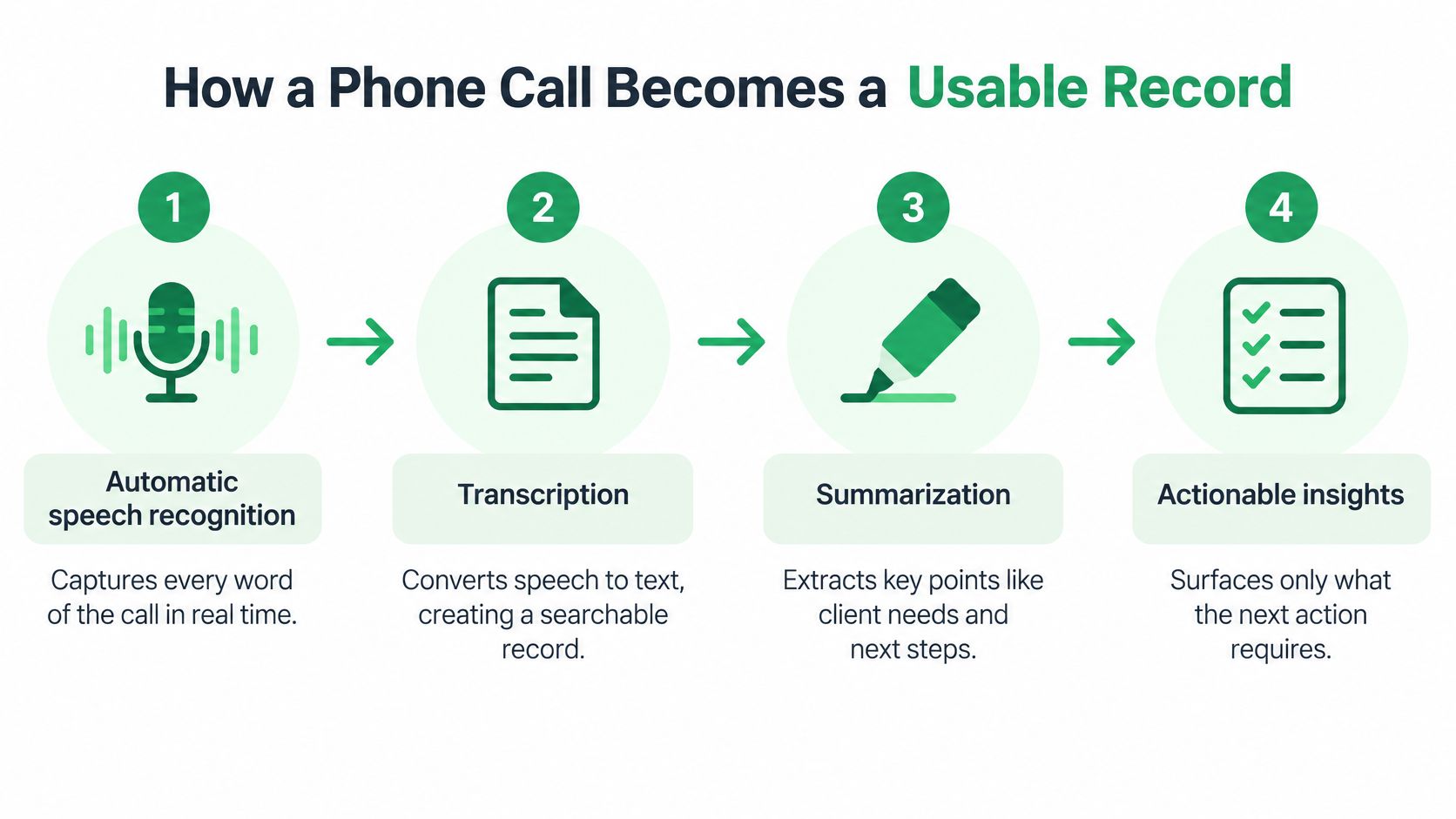
- Speech recognition writes everything down. Every word, in order, kept whole. That full transcript is the thing you check a summary against later. A summary you can't verify against the words is a guess with good grammar. The mechanics of keeping that record are covered in this guide to phone call transcription.
- Labels separate you from the client. Speaker attribution tells you who committed to what, which is the difference between "I'll send the disclosure" and "she'll send the disclosure." Good systems also hold one record when a bilingual client switches language mid-sentence instead of splitting the call into two partial notes.
- Classification names the outcome. Research from a Microsoft Dynamics 365 Sales conversation intelligence system sorted transcripts into workflow categories such as voicemail, unavailable contact, the salesperson's obligation to reschedule, and an explicit do-not-contact request, as described in this ACM study on conversation intelligence. Outcome labels tell you what kind of next action the call needs before you read a single sentence of it.
- Extraction pulls the commitments. Requested documents, dates, amounts, objections, and any consent or contact-preference statement, each with a confidence score and a pointer back to the sentence it came from. That pointer is what turns a claim into something you can verify in five seconds.
Where the errors hide
A fluent summary is not proof. Accents, overlapping speech, product terminology and spoken numbers are exactly where recognition slips, and a clean paragraph can hide a wrong rate more easily than a messy transcript ever could.
This is why the evaluation question isn't word-error rate alone. The useful measures are entity-level precision and recall for amounts, rates, policy or account identifiers, deadlines and action items. If a tool can't tell you how often it gets a dollar figure right, it hasn't measured the thing you care about.
Practical rule: On mortgage, insurance and investment calls, any financially material field stays unchecked until a person confirms it against the transcript.
The same discipline applies when you assess a vendor's claims rather than its output. A structured product review, such as how Docket assessed Fibbler, is a useful model: test the tool against its own promises, not against the demo script.
Demand three things of any workflow you adopt. Full transcript first. Structured events second. A draft follow-up that is still editable third.
Where Captured Calls Go in Your Workflow
A captured call has a route. Knowing the route is how you tell a tool that documents your work apart from one that publishes it.
- The call is captured on the number you already use, or on a meeting if your work is a scheduled video call.
- The transcript is kept for checking, and the summary you approve lists the numbers, decisions and next steps.
- A follow-up draft and tasks appear for you to edit, not to send as they stand.
- Verified details go into the client file first. A CRM record is written only after you decide to save it.
That last step is where the design choices show. On a team account, a colleague receives the summary in the CRM only after someone enables that sync, so ownership of each record stays with a named person rather than with whoever happened to install the tool.
| Capture path | Best for | Setup needed | Where the record goes |
|---|---|---|---|
| Meeting recorder | Scheduled video meetings with several participants | Meeting bot invited to each meeting | Team coaching dashboard and CRM |
| Mobile call capture | One-to-one calls on an existing professional mobile number | Call forwarding with no meeting bot or second SIM | Client file first, then CRM only after sync is enabled |
| Manual notes | Calls with no capture tool | Handwritten or typed notes during the call | Personal notes, retyped later |
The choice depends on where your work happens, not on which tool has the longest feature list. A broker whose day is fourteen one-to-one calls on a cellphone gets nothing from a meeting bot that has to be invited into a video room.
What lands in your CRM is a separate design question from what gets captured. Before you let any call data flow outward, read up on how a CRM integration handles the data handoff, because the fields you sync decide who sees a client's financial detail. Each path also leaves a different record behind: a dashboard entry, a client file with a checked summary, or a page of handwriting nobody can read on Friday.
One Workday on the Phone Clients Already Use
A mortgage broker's Tuesday can include missed calls, quick callbacks, and a client who switches languages mid-sentence. Conversation intelligence for sales can help turn those one-to-one mobile calls into usable records, while leaving decisions and client communication in the professional's hands.
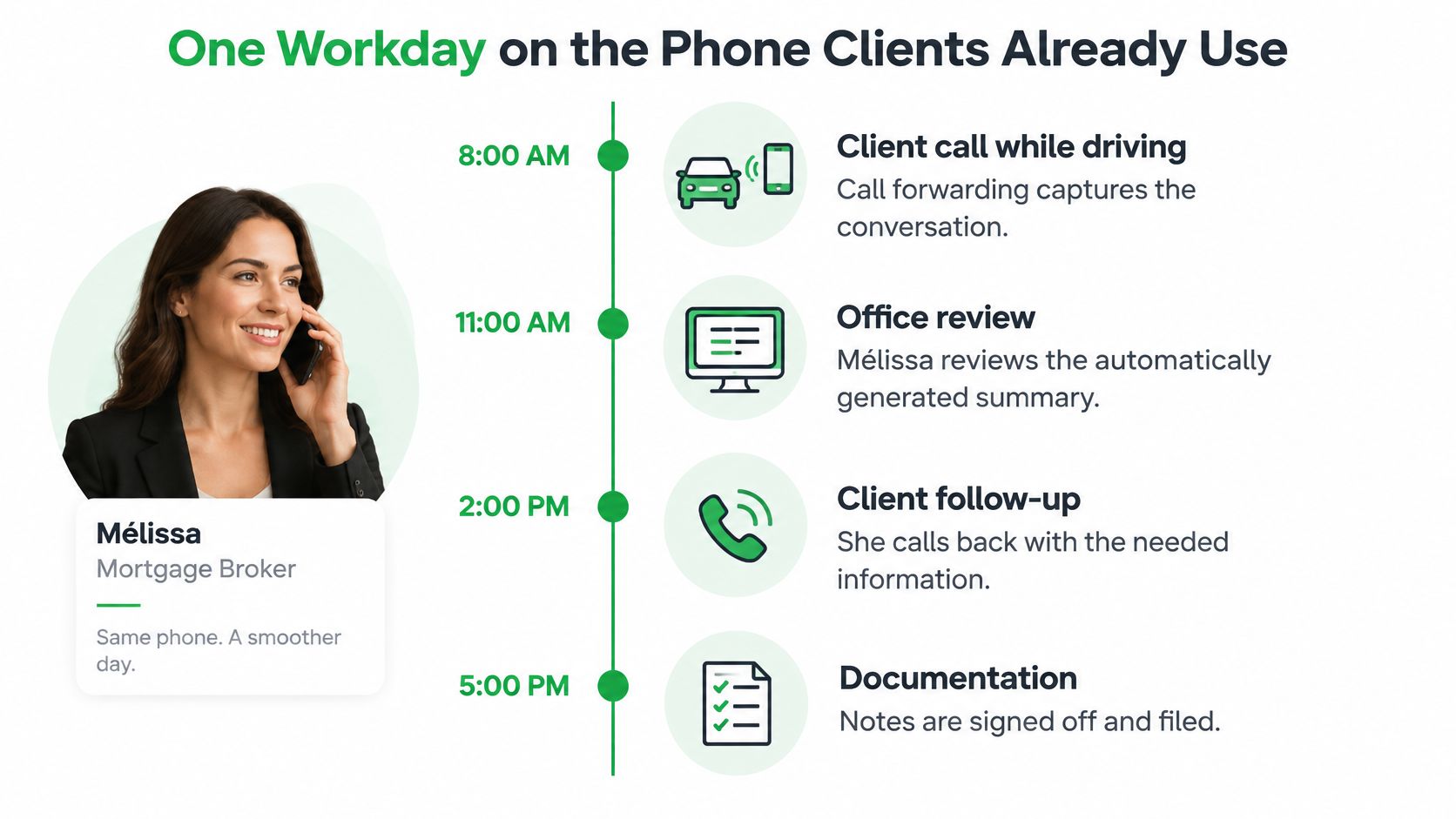
7:40, between appointments. A client calls the broker's mobile number. Call capture documents the conversation without turning it into a scheduled video meeting. The broker can stay focused on the call instead of splitting attention between listening and writing.
10:15, a callback. The broker returns a missed call using the same number. Capturing both incoming and outgoing conversations helps keep the record together, like adding each new page to the same client file.
12:30, a bilingual call. A couple switches between French and English mid-sentence. VoxNote detects the call's language automatically, including language changes, and creates a transcript with speaker labels.
After the call. The transcript can include an AI-generated title and summary, action items, and reminders. VoxNote also drafts a follow-up email. The broker checks the details, adjusts the draft, and sends it.
4:00, back at the computer. The broker reviews the notes and adds the checked information to the client's file. If CRM synchronization has been enabled, VoxNote can deliver the call summary to the CRM. The human review comes first.
That changes the shape of the workday. Instead of trying to write down every detail while listening, the broker can give the conversation attention, then use the transcript as a starting point for documentation. AI notes are a draft, not a signed record: figures, dates, and commitments still need a person to check them.
For a professional whose work happens in confidential one-to-one calls, the useful workflow is straightforward: capture the conversation, review the record, then decide what to share or store.
What to Check Before a Note Leaves Your Hands
A polished summary can sound right while getting a key detail wrong. For sales professionals, that might be an amount, a commitment, a date, or a suitability detail. Treat AI notes like a colleague's draft: useful for getting started, but not ready to sign off until you have checked it.
HubSpot's guide to AI in B2B sales reports that 65% of generative-AI users or experimenters worry about inaccurate results, and 59% worry about bias. Those concerns make a simple review routine worth building into the call workflow.
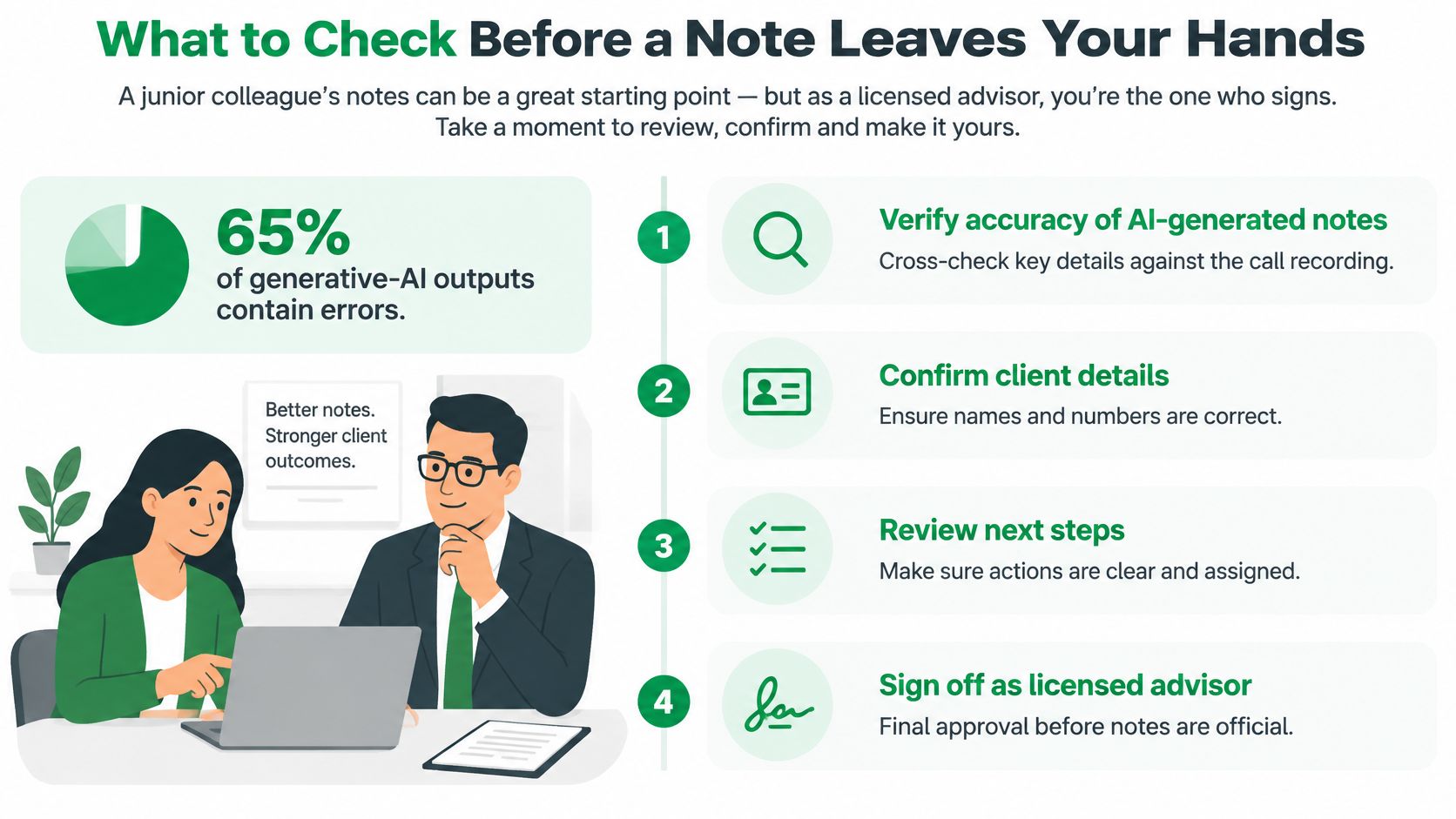
- Disclose at the start. Say that the call is recorded and transcribed, explain the purpose, and ask whether the other person wishes to proceed. Call transcription rules vary by location and profession, so the customer is responsible for following the rules that apply.
- Check the details against the transcript. Verify names, amounts, rates, dates, and promised actions. A transcript is the reference for checking the summary, much like a receipt helps you confirm a purchase.
- Review before anything is sent or synced. VoxNote drafts a follow-up email for the professional to review, adjust, and send. CRM or webhook synchronization, contact name sharing, and email reminders require the user or organization to enable, configure, or start them. Check the content before using any of these options.
- Keep access and records appropriate to the work. Transcripts and summaries are encrypted using AES-256, and VoxNote says they are never sold or shared. Keep only the information the client file needs.
- Treat the summary as working documentation. AI-generated summaries and suggested action items must be reviewed by the user. They are not professional advice or certified records, so they should not replace the official client record.
A fluent summary can still contain a wrong number. Once you have checked the record, use it to prepare a clear message. These professional follow-up email tips can help turn verified call details into a client-ready draft.
The rule is straightforward: if a detail could matter in a complaint or suitability discussion, check it against the conversation before the note leaves your hands.
Start on the Number Clients Already Call
Choose by where your selling happens, not by which tool has the longest feature list.
If most of your selling is a scheduled video meeting with several participants on the line, a meeting recorder and a coaching dashboard are a reasonable match. If your work is incoming and outgoing calls on one professional mobile number, the way it is for independent mortgage brokers, life insurance and investment advisors, and owners who sell from their own phone, pick a capture path built around that number.
A one-week trial that settles it
Run seven days on real client calls. Disclose verbally at the start of each one. Keep the transcript so you can check the summary. Edit every follow-up before it leaves.
Then judge the week on three things: fewer emails reconstructed from memory, fewer documents or dates that went missing, and CRM notes that match what was said. Not a talk-ratio score, not a dashboard nobody opens.
VoxNote fits this phone-first case. It drafts a follow-up email from each call for the professional to review, adjust and send, so the writing starts from the conversation rather than from a blank page at nine at night.
Pick the next ten calls. Keep the checked summary for each, and send the follow-up the same day instead of rebuilding it from memory. Ten calls will tell you more about whether the workflow fits than any product page will.
VoxNote captures incoming and outgoing calls on the number your clients already dial, then delivers a transcript, a summary and a follow-up draft seconds after you hang up, so you can check the numbers and promises before anything reaches a client file. You review, edit and send, with the checked version saved for the record. Visit VoxNote to book a demo with the founder, Dannick Villeneuve, and see how it handles a week of your own calls.