
You hung up five minutes ago. The client asked for pay stubs, you named a coverage amount, and you promised two times for a return visit. The figures are already getting soft, and a "just checking in" note would only bury the one thing they need to do.
How to send a professional follow-up email, in the version I would send, is a verified confirmation of that call. It restates what was said, asks for one next step, and makes clear when you'll stop writing if there's no deadline. Short enough to scan. Specific enough that a wrong number can't hide inside polite filler.
Table of Contents
Write the Follow-Up Email After a Client Call
Build the email in six parts, in this order: subject, context, confirmed facts, numbered next steps, open items, and one ask. Do that while the call is still fresh, ideally within the hour. List only what was said: decisions, figures, names, dates, and promises. Leave out your impressions of how the call felt.
A running log of those details is easier if you already keep a daily phone call summary instead of reconstructing the conversation from memory an hour later.
Six parts, then stop writing
| Part | What to include | Keep it to |
|---|---|---|
| Subject line | Call topic plus the outcome | One specific line the client can search |
| Context | Date and purpose of the call | One sentence |
| Confirmed facts | Only numbers and decisions actually stated | A few short lines |
| Next steps | Owner and date for each action | Three items at most |
| Open item | Anything still unresolved, labeled as open | One line |
| Ask | One question, two times, or a correction request | One sentence |
| Whole email | Prior talk, the business point, promised information, and one action | Under 150 words |
Subject. Combine the topic and the outcome so the client can find the thread later. "Pay stubs after our Tuesday mortgage call" beats "Following up."
Context. One sentence with the date and purpose. "Following our Tuesday call about your refinance options." That's the whole opener. Skip "it was great to connect."
Confirmed facts. A few short lines, and only what was stated. A quoted rate, a coverage amount, or a document the client requested. If you didn't hear it on the call, it doesn't go in.
Say you're a life-insurance advisor after a needs call. You confirm the purpose, the coverage you discussed, and the lab form that's still missing. You don't write that the conversation was wonderful. You write the amount, you write that the lab form is outstanding, and you stop.
Next steps. Turn agreements into a numbered list. One owner and one date on each line, three items at most. "You send last year's pay stubs by Friday. I send the illustration by Thursday." Unclear ownership is how a file stalls with both people waiting.
Open item. Label anything unresolved in plain language on its own line. "Open: whether the second applicant will be on the policy." That line keeps a guess from looking like a decision.
Ask. End with one sentence. A yes on a document list, two meeting times, or a request to correct the summary. An ask with three options is easy to ignore.
Practical rule: If a line doesn't point to a decision, a figure, an owner, or a date, cut it.
A 2025 study of 5,187 cold emails reported an average response rate of 15% and found that messages under 150 words performed better in the tested campaign. The same study reported that personalization using the recipient's name, company, and location increased response rates for one buyer segment to 58%, compared with lower results for less-personalized messages. Those percentages come from cold-email tests, so treat them as benchmarks, not a promise for every client file. They do support the shape above: name the prior conversation, restate the business point, include anything you promised, and close with one specific action.
For a mortgage broker, an advisor, or a field rep, that action is the document, the decision, or the two times. It is not a generic check-in. Hold the draft and match every figure to your notes before you send. If you want a wider pass on tone and structure beyond client recaps, the professional email tips from Pure Write are a useful companion, especially on keeping a message scannable without sounding stiff.
Sample Emails for Real Client Calls
The pattern is the same. The details have to come from the call, or the email is a template with a name pasted on it.
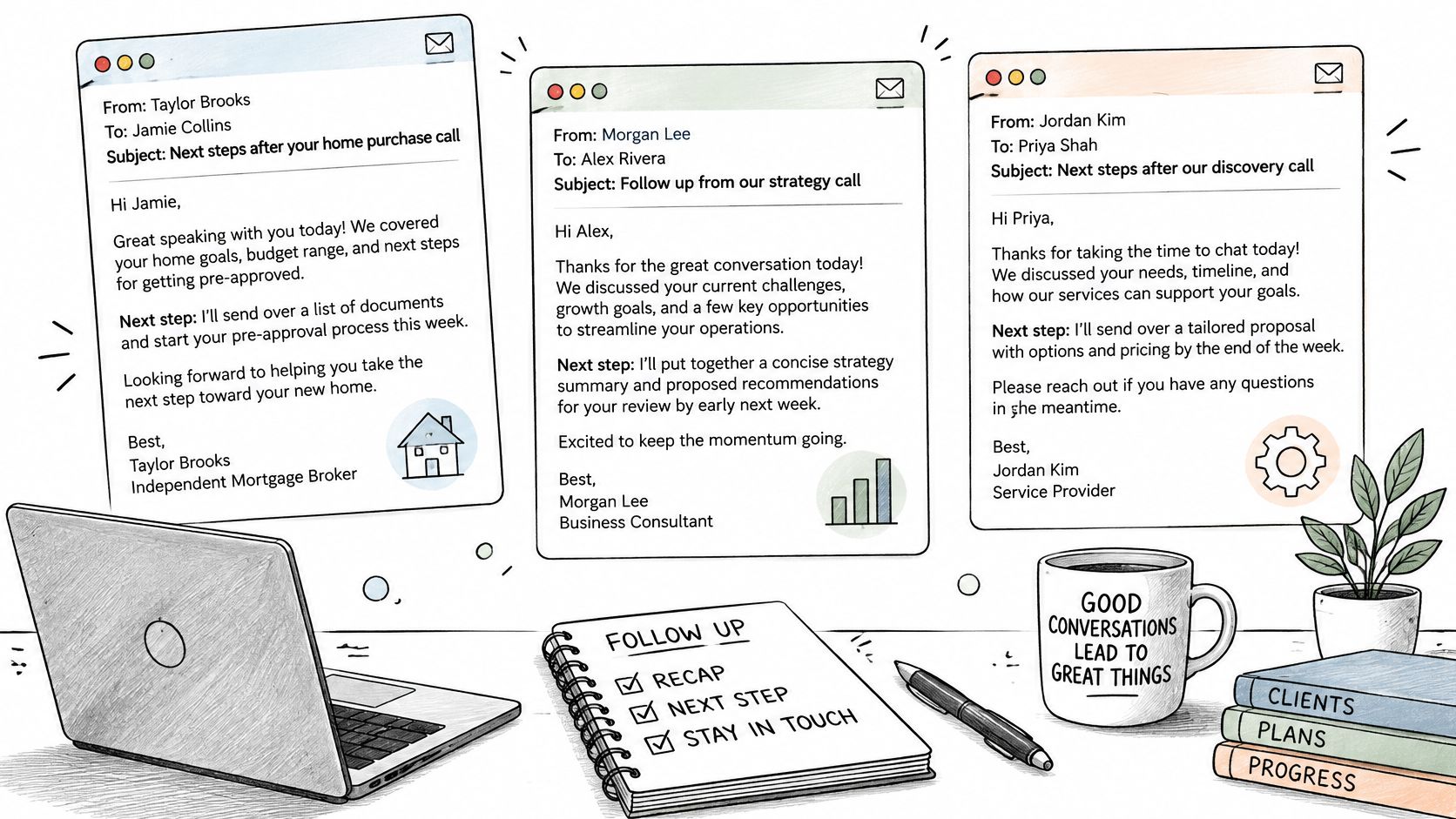
Mortgage purchase call
Subject: Pay stubs after our Tuesday call on 14 Oak Street
You and I spoke Tuesday about financing the Oak Street purchase. We discussed a 5.49% five-year rate on the amount in your pre-approval letter, and you asked me to list the two documents still missing. Please send last year's pay stubs and the signed purchase agreement by Friday.
The rate and the street address are the details a template can't invent. If you didn't quote 5.49% on that call, don't type it.
Life insurance needs call
Subject: Coverage to explore after Thursday's needs call
Following our Thursday call, you asked to see an illustration at $450,000 of term coverage. Health questions about the knee surgery are still open. I'll order the illustration by Wednesday. Please reply if any line above is wrong.
The coverage figure and the knee surgery came from the conversation. "Personalized" here means those facts, not a first name in the greeting.
Field sales site call
Subject: Conveyor jam after Monday's plant visit
On Monday we looked at the jam on line 3. The worn idler roller is the part I'll price, and I'll send that price by Thursday. I can be back Tuesday at 9:00 or Wednesday at 1:30. Which of those works?
The line number and the roller are the call. There's no "just circling back" sentence, because that sentence doesn't move the part or the visit.
Swap in your own figures, then delete any line you can't tie to the conversation. A clean email with one true number beats a fuller email with a guessed one.
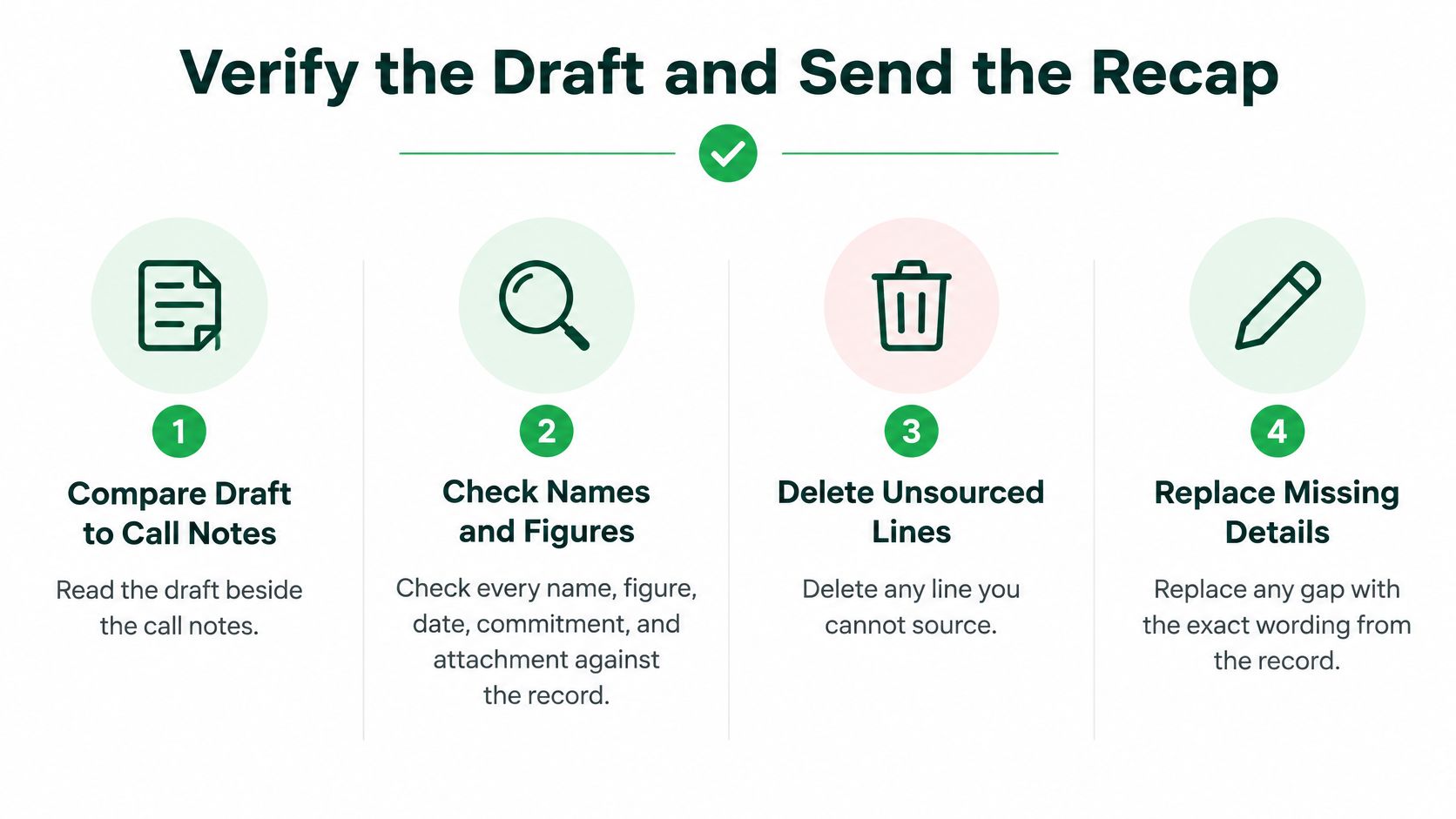
Verify the Draft and Send the Recap
Read the draft beside the call notes. Check every name, figure, date, commitment, and attachment against the record. Delete any line you can't source. Where something's missing, put back the wording from the call, not a smoother version you wish you'd heard.
A follow-up often becomes the record clients, colleagues, and regulated teams rely on. A confirmation email does that job better than a persuasive recap: date and purpose, confirmed facts separated from open questions, each action with an owner and a deadline, and an explicit invite to correct you.
A two-minute pass-fail list
- Names and company match the spelling the client used.
- Every rate, number, and coverage amount matches the notes.
- Dates and weekdays are the ones you said, not the ones that feel close.
- Each action has one owner and one deadline.
- Open items are labeled in plain language.
- Attachments are the ones you discussed, in the right version.
- Wording uses the client's terms, such as "pay stubs," not filler like "touching base."
If any line fails, fix the draft before you send. Send from the address the client already uses. File the sent message with the call notes so a colleague can see what was agreed. A CRM email integration is one place that file can live, next to the call rather than in a personal inbox only you can open.
Recent email research reports that 73% of decision-makers appreciate personalized messages, while generic messages produce a 2.8% reply rate in the cited analysis. Personalization here means the actual conversation, not a mail-merge first name.
We draft a follow-up email for each call, which you review, adjust, and send. Summaries arrive a few seconds after each call ends, both by email and in the app. AI outputs such as summaries and suggested action items must be reviewed by you and are not professional advice or certified records.
A short walkthrough of drafting from a real conversation, then editing before send, is here:
Close with one line: "Reply if any point is wrong." That turns the email into a shared record instead of an unverified reconstruction. On the next client call, make the habit one accurate recap while the call is fresh, with one ask.
Timing and a Clear Stopping Point
Send the useful recap the same day, or within one day, while both of you still remember the same call. A second email waits, and it has to carry something the first one didn't.
A Yesware analysis cited in a 2024 follow-up guide found that sales representatives who followed up within one day of the initial outreach received an average reply rate of about 25%, while nearly 50% of responses in outreach campaigns came from follow-up emails. The same source reported that response rates fell below 10% after the seventh follow-up. A separate analysis summarized there examined 16.5 million cold emails and reported that sequences containing one follow-up produced an average reply rate of about 8.4%, with later follow-ups generating weaker returns.
Those figures are mostly cold outreach. Use them as judgment, not a script. A live mortgage file, a regulated insurance relationship, or a closing date can need a tighter schedule than a prospect who never asked you to write.
What the second email is allowed to be
The second note, when no deadline exists, waits several business days. It adds a clarified number, the document you promised, a decision summary, or two appointment options. Repeating "any update?" doesn't qualify.
If there's still no reply and no deadline, say you'll pause, then stop or move the question to the channel the client already prefers. Silence is often a competing priority, not a verdict on you. Chasing past that point costs more trust than it saves.
| Situation | First message | Next message | Stop |
|---|---|---|---|
| Agreed next steps after a client call | Same day or within 1 day | After several business days, only with new value | Stop after that second note if no deadline exists |
| Time-sensitive client work | Within 1 day | Sooner than a cold sequence, still with something new | When the client replies or the deadline passes |
| No deadline and no reply | Recap within 1 day | One later email with a document, number, or times | Say you will pause, then stop or switch channel |
| Repeated reminders with the same ask | Do not send | Only a touch that adds information | Stop once an added-value touch gets no reply |
Persistence isn't the same thing as professionalism. Each extra message has to be worth the interruption.
How a team treats inboxes day to day shapes whether that pause feels rude or respectful. A look at email culture is worth it if your clients already live in a high-volume inbox and read a third nudge as noise.
Pick the row that matches the file. Send the first recap while the call is fresh. Send one later note only if it adds a number, a document, or two times. Then stop.
Correcting a Sent Recap or Handling Silence
A wrong figure in a sent recap needs a short correction the same day, not a second full summary. The client should see one changed line, not a rewritten story.
Subject: Correction to our Tuesday call summary
"The coverage amount I wrote as $500,000 should read $450,000, as quoted in the illustration you received. Please confirm that corrected line."
Name the single line that changed. Give the verified figure and where it came from: the illustration, the rate sheet, the notes you both heard. Don't apologize for a paragraph, and don't attach a new promise while you're fixing the old one.
When the client pushes back
If the client disputes a point, move that point onto the open-items line in your next email. Keep the debate out of a long reply thread. "Open: coverage amount, pending the illustration" is clearer than three messages arguing tone.
If you missed a date you promised, say the missed date plainly, give a new one, and name who owns it. "I said I'd send the pay-stub checklist on Wednesday. I'll send it Thursday. I own that." A buried apology makes the new date harder to see.
What to keep in the file
Keep the original sent email and the correction together so a colleague can see the sequence. If the correction touches consent or a regulated disclosure, check your firm's rule before you send. A coverage amount, a rate, or a beneficiary name is not a casual typo.
After a correction, one neutral follow-up asking the client to confirm the fixed line is the only extra touch. If that gets no reply and there's no deadline, pause and stop. Another reminder of the same correction doesn't make the record more accurate. It only makes the thread longer.
VoxNote turns each client call into a transcript, a summary, and a follow-up draft you can check against the notes before you send. Use it when you want the recap to match what was said, with one clear next step instead of a check-in you have to invent from memory. Visit VoxNote to see how the draft lands in the inbox you already use.