
A client call ends, and the next one is already coming in. You need to remember the figures discussed, the documents promised, and who agreed to do what. Later, you still have to put an accurate note in the client's file. A recorder can preserve the audio, but that doesn't automatically complete the work.
The right choice among Plaud AI alternatives depends on what happens before and after recording. Some options capture calls on your phone, while others rely on dedicated hardware, earbuds, a separate recording app, or audio imported into a transcription service. Those differences determine whether a tool fits your day or adds another step to it.
This comparison starts with the full client-call workflow: capture, transcript, summary, follow-up, retrieval, integrations, and privacy. It separates direct phone-call services from recorders and transcription platforms, so you can choose based on how you speak with clients. If you also need tools for recorded learning sessions, see this guide to best lecture recording apps 2026.
Table of Contents
- 1. VoxNote
- 2. Superscribe Phone
- 3. Apple Phone app
- 4. viaim RecDot
- 5. Mobvoi TicNote
- 6. TapeACall
- 7. Otter.ai
- 8. Rev
- 9. Call Recorder for iPhone Calls
- 10. Just Press Record
- Top 10 Plaud AI Alternatives Compared
- Match the Tool to the Work You Repeat
1. VoxNote
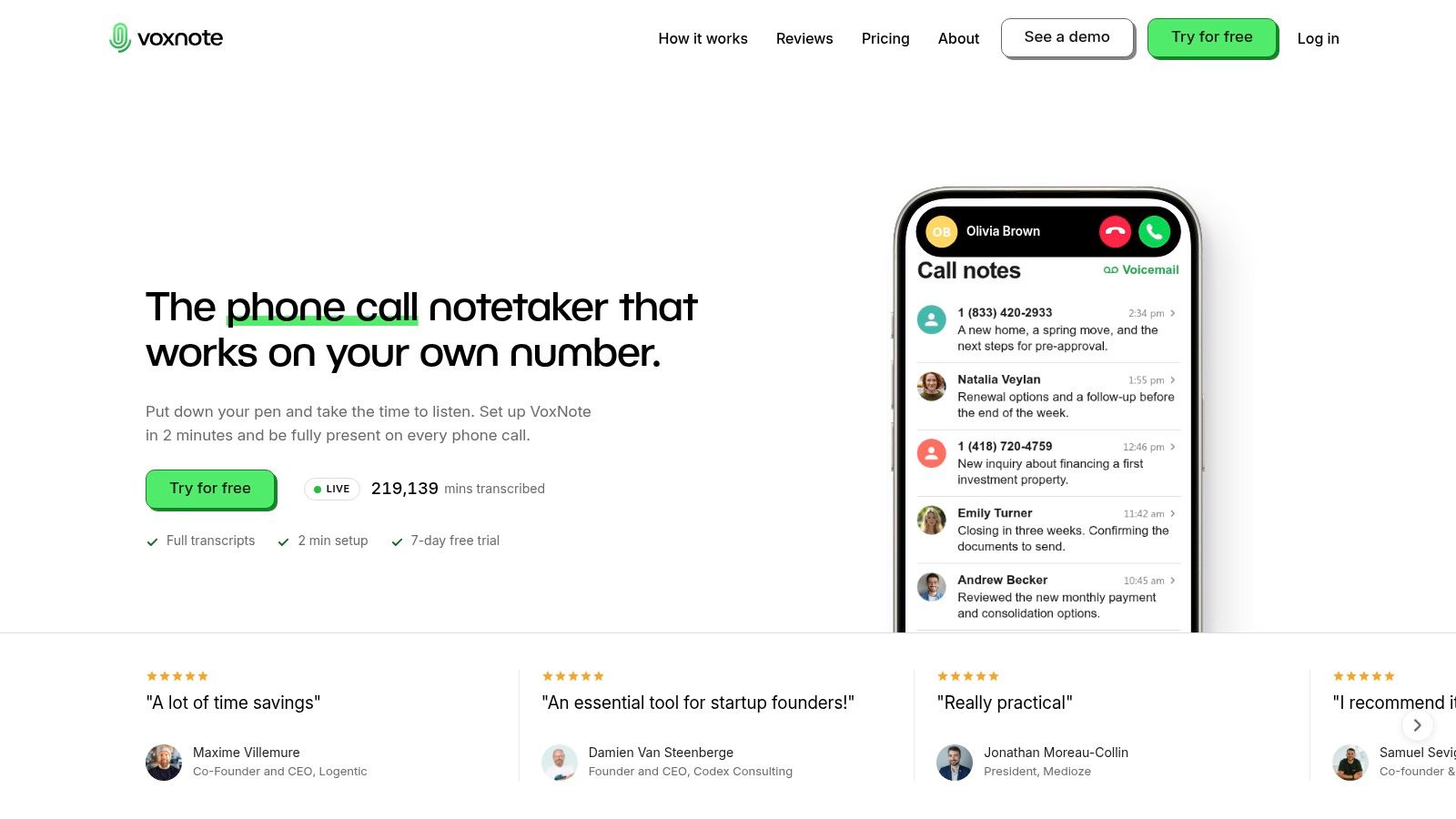
VoxNote is the strongest fit for professionals who need dependable records of everyday client calls, not just meeting notes. It captures incoming calls on an existing number and outgoing calls made through the VoxNote app, then turns them into transcripts, organized summaries, and follow-up drafts. You can review records in the iPhone app, by email, or on the web, which makes it easier to carry useful details into a client file.
The workflow is built around reducing post-call admin. A summary can organize figures, decisions, and next steps, while a contextual email draft gives you something to check and edit before sending. The Pro plan adds team access and CRM-summary integrations. Automatic language detection supports conversations in 32 languages, according to the product page, including multilingual calls, and the service works with AirPods and other iPhone-supported audio devices.
Best fit: Mortgage brokers, financial and insurance advisors, sales teams, and other professionals who handle client work on an iPhone.
Setup uses call forwarding, and outgoing calls need to be made through the VoxNote app. That tradeoff buys you documentation in both directions of routine phone work without a separate recorder or meeting bot. VoxNote is currently iPhone-only. Its Essential plan includes 500 minutes of notes per month, per the product page, while unlimited notes, team access, and CRM integrations sit in Pro. The company lists Essential at $19.99 USD per month or $16.67 USD per month billed annually, and Pro at $32.99 USD monthly or $29.17 USD per month billed annually (VoxNote pricing page). Confirm the current terms before subscribing, since the minute allowance decides whether the cheaper plan covers your call volume.
VoxNote says call data is protected with AES-256 encryption and isn't sold or shared. That still leaves consent and your organization's requirements on you. Users remain responsible for following applicable recording rules.
2. Superscribe Phone
Superscribe Phone is made for people who want call records connected to follow-up and CRM work, rather than a standalone audio file. It captures iPhone calls using an existing number and produces transcripts, summaries, action items, and follow-up drafts. Searchable call history and desktop tools help you find a past conversation without relying on handwritten notes or remembering which device holds the recording.
The CRM workflow is a meaningful part of its appeal. Superscribe offers CRM filing, including Pipedrive filing on its Starter plan, so it's worth considering if call notes need to reach the same place as your client records. Visit Superscribe Phone to check its current product and plan details.
Published plans are priced in euros, and the service has minute allowances and outbound-call limits. Don't assume the listed plan will fit your location or call pattern. Confirm which calls it supports where you work, how outgoing calls are handled, and whether the included allowance covers your regular workload before moving important client documentation onto it.
If your work depends on CRM records, test the filing process itself. A good summary that never reaches the right client record still leaves you with manual admin.
Superscribe is a direct alternative for business-call documentation, but teams should compare its plan limits and setup against their own call volume before choosing it over a simpler recorder.
3. Apple Phone app
If you already use a supported iPhone and only record occasionally, Apple's Phone app is the easiest place to start. Call recording is available on supported devices, transcripts can appear in Notes, and supported Apple Intelligence features can generate a summary. You don't need to buy a Plaud-style device or maintain a separate recorder app.
That convenience doesn't make it a full client-call system. Apple's built-in option is useful for recording and reviewing a conversation, but it doesn't provide a dedicated CRM handoff or a business-focused follow-up workflow. You'll still need to decide where the note belongs, update the client record, and create any follow-up message yourself.
Check Apple's iOS information for device, software, language, and regional availability. Those details matter: features that are available on one iPhone setup may not be available on another.
Before recording a client, check what announcement the system makes and what consent rules apply to the call. For occasional notes, the built-in workflow may be enough. If you handle client conversations throughout the day and need records connected to follow-up, look for a service designed around those steps instead.
4. viaim RecDot
viaim RecDot combines wireless earbuds and AI recording, making it a different kind of alternative from a service that captures calls through your phone number. You can start a recording from the earbuds or case, then use the companion app to produce transcripts and summaries. The product is described as supporting transcription in 78 languages, with task extraction and playback features. Check the viaim RecDot product page to review its current recording modes and plan details.
This form factor makes sense if you already wear earbuds through calls, meetings, and everyday work, and you also need to capture conversations beyond cellular calls. It can support more than one kind of audio capture, so it may suit someone moving between a client meeting and an in-person conversation. The earbuds also serve a normal listening purpose, which can reduce the need to carry a separate recorder.
The tradeoff is that you're adding dedicated hardware. You'll need to wear or carry it, keep it charged, and verify that its phone-call recording method captures both sides clearly with your particular phone setup. Don't assume that an earbud recorder works the same way as automatic call documentation on an existing number.
RecDot's free plan has a capped AI transcription allowance. Review the current allowance and paid plan before relying on it for regular professional use. Choose it when earbuds are already part of your workday and you want them to do more; choose a phone-native service when your priority is capturing routine business calls with less device management.
5. Mobvoi TicNote
Mobvoi TicNote is a device-centered recorder for calls, meetings, and other conversations. It works with a companion app that processes recordings into transcripts and notes, so it can cover work that happens away from a desk as well as conversations where a laptop-based meeting assistant isn't practical. Mobvoi says customer data isn't used to train AI models. Check the Mobvoi TicNote product information for current details and plan terms.
TicNote may suit a professional who wants one pocket recorder for different kinds of conversations, including in-person discussions. It doesn't depend on a meeting bot joining an online call, and it gives you a physical device to control. That can be a better match for field work than software designed mainly for scheduled video meetings.
But the device doesn't work like automatic service-side recording through an existing mobile number. You'll need to carry and charge it, and you should verify how it captures both sides of phone calls with your own phone, earbuds, and calling setup. Treat “supports phone calls” as a workflow to test, not a guarantee that every configuration behaves the same way.
AI features and transcription allowances may depend on the current plan. Before buying, check whether the recording method fits your everyday calls, where the transcripts are processed, and what happens to your records after capture. TicNote is a reasonable pick for mixed conversation types, but it's not the simplest option if all you need is searchable documentation of calls on your business number.
6. TapeACall
TapeACall focuses on preserving phone-call audio and making it available for review. It offers a recording library, sharing and export options, and transcription features. If your main need is to retain a call recording and revisit what was said, that focus may be enough. Review the TapeACall website for its current app and subscription details.
Its main limitation is the recording workflow. TapeACall can use a recording-line or merged-call approach, which may require extra steps compared with a service designed to capture incoming and outgoing calls through an established number. That's manageable if you record selectively, but it can become friction when you handle client calls throughout the day.
TapeACall also doesn't provide the full client follow-up workflow described in this guide. You may be able to preserve and share a recording, but CRM updates, action tracking, and follow-up drafting remain separate tasks. Check the app's current subscription terms before signing up, and test the recording process with your own carrier and phone setup.
Choose TapeACall when call audio is the priority and you're comfortable handling notes and follow-up elsewhere. If the problem is remembering commitments and updating client files after every conversation, choose a tool that makes those steps part of the same workflow.
7. Otter.ai
Otter.ai is a transcription and collaboration workspace, not a direct recorder for ordinary phone calls. It can transcribe imported audio, organize conversations with speaker identification and searchable records, and generate AI summaries. That makes it a useful fit when you already have an appropriate way to capture and export the call audio. See Otter.ai's transcription workspace for current capabilities and plan limits.
The separation between recording and transcription is important. You'll need to capture the call elsewhere, save the audio file, and import it into Otter before you can search or work with the transcript. That extra handoff can be acceptable for occasional recordings, but it adds a step to recurring client work. Its free tier can help you try the workflow, though free-plan limits apply.
Otter's strengths are transcript search, organization, and collaboration. Those features can make a large collection of recordings easier to work through, provided you've already solved call capture and have permission to record and process the audio.
For businesses comparing Aircall alternatives for call workflows, distinguish scheduled online meetings from everyday mobile calls. Otter is a better fit when the recording method already exists and your priority is what happens to the transcript afterward.
8. Rev
Rev is built to turn recordings into written records, with mobile recording, AI transcription and summaries, and paid human transcription. That choice between automated processing and human review may appeal when transcript editing or extra review matters. Visit Rev to check its current services and pricing.
Rev's main constraint for this use case is phone-call capture. Its iOS app supports in-app recording but doesn't record phone calls, so you'll need to capture the conversation through another method and then upload or otherwise provide the audio. That can work well for interviews or recordings made outside the normal cellular-call workflow. It's less convenient when you need a reliable record of recurring client calls.
The service can be useful after capture: you can review a transcript, use a summary, or pay for human transcription. But you'll need to account for the recording step and any separate review or editing, and human transcription can be costly. Check the current terms before you use it for regular work.
Choose Rev when transcription and review are the main need, and a suitable recording method is already in place. If your main goal is to document phone calls automatically and turn them into immediate follow-up, look for a call-first service instead.
9. Call Recorder for iPhone Calls
This App Store app promotes iPhone call recording, transcription, and AI summaries with takeaways and action items. Its listing claims transcription in more than 100 languages, but you should verify that claim and the current recording workflow before relying on it for important client records. Start with the Call Recorder for iPhone Calls App Store listing and check the developer information, recent reviews, and subscription terms.
It's a direct app-based candidate for people who want to keep recording on an iPhone rather than carry a separate Plaud-style device. The promised summaries and action items could help turn audio into notes, but advertised features don't answer the practical questions that matter most: Does it capture both participants on your setup? Does it require call merging? Can you export records? What happens to the audio after processing?
Don't rely on it for a client workflow until you've tested a consented call from start to finish. Confirm that the transcript handles names, numbers, and commitments accurately, then check where the recording and transcript can be accessed. Review recurring purchase terms before starting an in-app subscription.
If you're comparing phone-call documentation systems, also consider what phone call monitoring involves in a professional workflow. This app may suit an individual who wants a focused iPhone recording tool, but its current reliability and setup should decide whether it belongs in a business process.
10. Just Press Record
Just Press Record is a straightforward voice recording and transcription app for Apple devices. It's designed for recording voice notes, interviews, and conversations, with syncing across Apple devices. See the Just Press Record website for its current product details.
Its appeal is simplicity. If you want to capture a dictated thought or record a conversation outside a normal cellular call, a lightweight app can be easier than setting up dedicated hardware. Apple Watch, iPhone, and Mac support also makes it a natural option for people already working across Apple devices.
Just Press Record isn't designed to automatically capture ordinary phone calls. You'll still need to handle call recording through another suitable method, and you'll need to review and edit transcripts as needed. It also doesn't provide the dedicated client-call workflow of a phone service that organizes summaries and follow-up drafts around business conversations.
Choose it for general voice capture and dictated notes, not as a direct replacement for end-to-end client-call documentation. If your work depends on accurate call details, make sure your recording and transcription process covers both sides of the conversation and gives you a practical way to move the result into the client record.
Top 10 Plaud AI Alternatives Compared
Read this table as a workflow, not a feature checklist. The first column shows how each tool gets the recording, the middle columns cover what it does with the conversation afterward, and the last column flags the constraint most likely to matter in daily use.
| Product | Call Capture & Tools | Best For | Standout & Value | Considerations |
|---|---|---|---|---|
| VoxNote | Existing-number iPhone calls; transcripts, summaries, follow-up drafts, web access | Client-facing professionals and sales teams | 32 languages, email delivery, Pro CRM integrations; 7-day trial, then per-user plans | iPhone only; Essential has a 500-minute monthly limit |
| Superscribe Phone | Existing-number iPhone calls; transcripts, summaries, action items, drafts, CRM filing | Professionals needing documented calls and CRM workflows | Desktop tools and individual/team plans | Euro-priced plans; minute and outbound-call limits; check location coverage |
| Apple Phone app | Records supported iPhone calls; transcripts in Notes and summaries where supported | iPhone users needing occasional call records | Built into iPhone; minimal setup | Device, software, language, and regional availability vary; no dedicated CRM workflow |
| viaim RecDot | Earbud/case recording; transcripts, summaries, task extraction | People wanting earbuds plus a recorder | Supports 78 languages per company; up to 36-hour battery life | Requires dedicated hardware; verify call-capture compatibility; transcription allowance may be limited |
| Mobvoi TicNote | Standalone recorder for calls and ambient audio; transcripts and summaries | People recording calls, meetings, and in-person conversations | Pocket recorder; Mobvoi says data is not used to train AI | Requires carrying and charging a device; check call capture and subscription terms |
| TapeACall | iPhone call recording, library, transcription, sharing, and export | Users focused on preserving call audio | Call-specific recording and playback | Setup may require extra steps; no end-to-end CRM or follow-up workflow |
| Otter.ai | Transcribes imported audio; searchable transcripts, speaker ID, summaries | Teams needing transcript search and collaboration | Free tier available | Does not directly record ordinary phone calls; audio must be recorded separately and imported |
| Rev | Mobile recording, AI transcripts and summaries; paid human transcription | Users who can record or upload audio separately | Choice of AI or human transcription | iOS app does not record phone calls; human transcription can be costly |
| Call Recorder for iPhone Calls | Advertises call recording, 100+ languages, and AI summaries | iPhone users seeking an app-based call recorder | Takeaways and action items advertised; free download | Check current reviews, pricing, and setup; may require call merging |
| Just Press Record | One-tap Apple-device recording and transcription | Apple users recording voice notes or interviews | Syncs across Apple devices | Not designed for automatic cellular-call capture; follow-up notes are manual |
Match the Tool to the Work You Repeat
For frequent client calls, choose a service that documents the conversation on the phone workflow you already use and makes the result easy to review and file. VoxNote is the clearest fit in this list for iPhone users who want incoming and outgoing call records, summaries, and follow-up drafts without carrying another recorder. Superscribe Phone is another call-first option to assess if CRM filing is central to your process. Check each service's supported locations, call setup, plan limits, and integration details before you commit.
Choose earbuds or dedicated hardware when in-person conversations matter as much as phone calls. viaim RecDot suits people who already wear earbuds and want a recording tool built into them; Mobvoi TicNote offers a separate recorder for mixed conversation types. Those devices give you a physical recording method, but they also add charging, carrying, and setup considerations. Test how each one captures your actual phone configuration rather than assuming it works like automatic call forwarding.
Transcription-first tools such as Otter.ai and Rev make more sense when you already have a compliant way to capture calls. They can help with searching, summaries, and transcript review, but the recording and file-transfer steps remain yours. Apple's Phone app or Just Press Record may be enough for occasional notes, though neither replaces a dedicated client-follow-up workflow.
Before paying, make a real call workflow part of your evaluation. Use a representative, consented conversation; check that both sides are captured; and verify the spelling of names, key figures, dates, and commitments. Then inspect where the recording is stored, how it can be found later, whether the summary needs correction, and how the result reaches your client record. For accuracy-sensitive professional calls, test actual phone audio rather than assuming clean-audio results will apply. The supplied benchmarking guidance recommends evaluating a stratified sample of 50–100 calls and separately checking critical fields, summary omissions, and correction time. Review the speech-recognition considerations for voice workflows before setting your own acceptance criteria.
Privacy belongs in the same evaluation, not as an afterthought. Recording rules vary by jurisdiction, and Canadian organizations have privacy obligations related to purpose, notice, consent, access, and retention. Read this legal analysis of recording considerations for AI meeting assistants, then confirm your organization's requirements for call disclosure, opt-out handling, access controls, deletion, and cross-border data storage. Ask whether recordings or transcripts are used to train models, and document the process your team will follow.
The best Plaud AI alternative isn't the device with the most features. It's the one that reliably captures the conversations you have and carries accurate details into the next client action. If you also use video in sales conversations, compare your call workflow with these best interactive video tools for sales.
VoxNote turns iPhone client calls into searchable transcripts, organized summaries, and follow-up drafts without requiring a separate recorder or new phone number. If that's the workflow you need, visit VoxNote to review its plans and start the free trial.